Live Demos
 Live Demos
Three Businesses. One Platform. Tap Through Any of Them.
These are working apps, built from the same codebase a Georgia septic company runs every day: the septic build itself for a made-up company, the restoration claims build behind Rogue Core: Restore, and a cleaning company. Open one, sign in, schedule a job, mark it complete, send the review request. Nothing you do is saved anywhere but your own phone.
Same engine every time. What changes is what the business needs to remember: a gate code, or an adjuster.
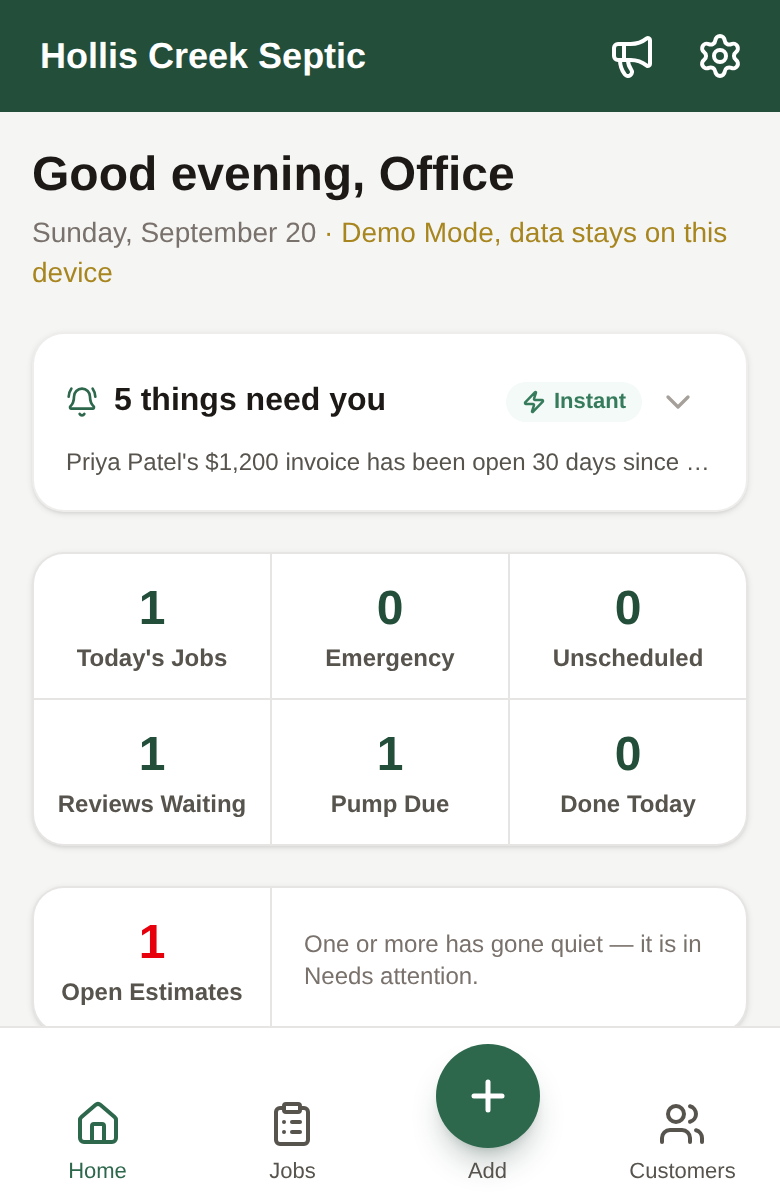
Hollis Creek Septic
Septic company
Rogue Core: Septic as a customer gets it, for a made-up company. Home opens on what needs the office today, each with Text, Call, or Not now. Customers is one search box that finds people, properties, jobs, and the company's own rules together. Every property carries its tank, lids, gate code, and dogs. Settings has the estimate and invoice terms, the texts, and "Teach the app", where the office writes down how the company works.
Try this
- Tap "Continue as Office", then the line at the top of Home: four things that need you today, each with the next step
- Customers tab: type "warranty" or "pumped" and watch the company's own rules show up next to the customers
- Open a property record: tank size, lids, the gate code, the dogs, where to park
- Switch to "Continue as Tech" and see the same day from the truck: the job, the heads-up, four buttons
Best on a phone. Sample data only: it stays on your device and nothing you type is saved anywhere. Sign in as Office or Tech. Your browser's Back button brings you back here.
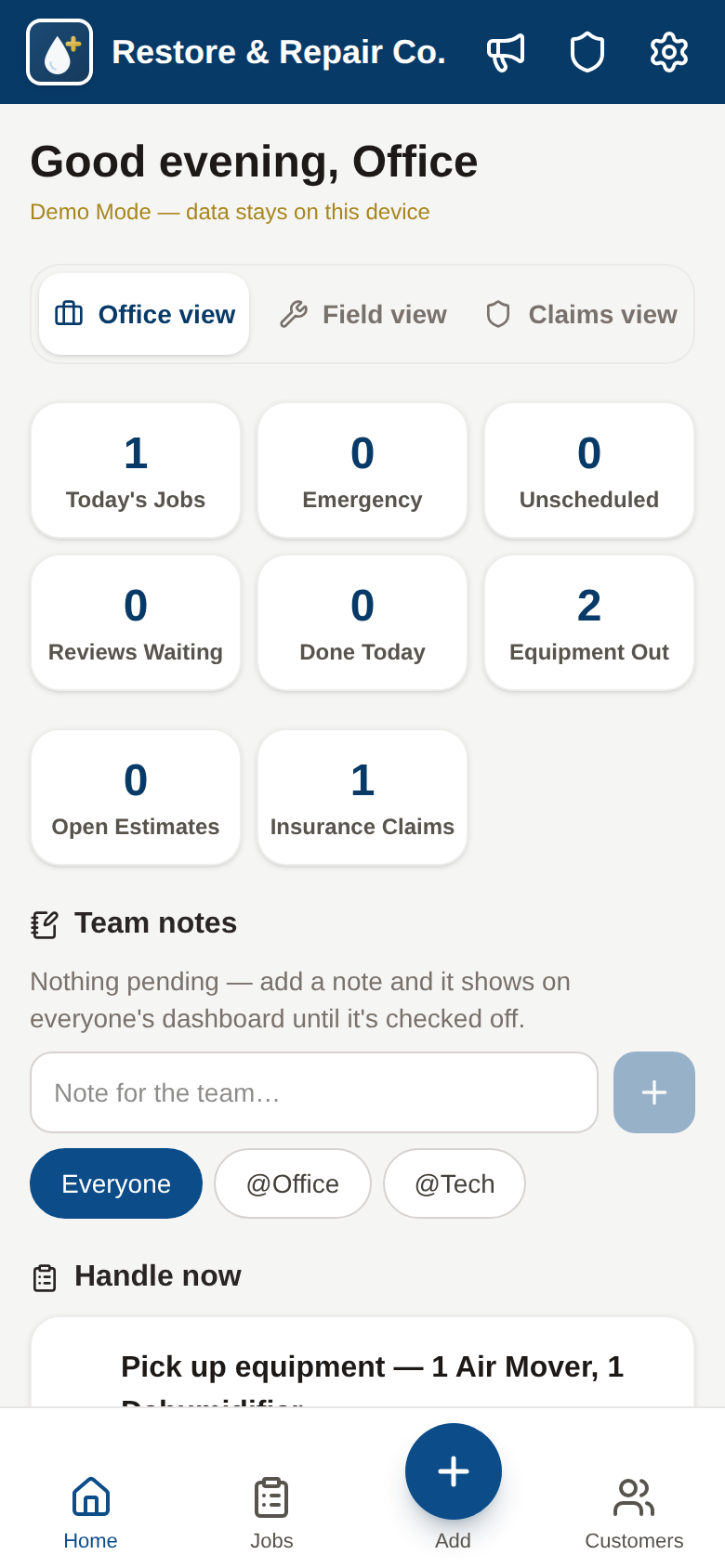
Restore & Repair Co.
Restoration & water mitigation
The platform's deepest build: a carrier pipeline with the adjuster on every card, money owed by insurance separated from the deductible owed by the homeowner, room-by-room moisture logs, a floor plan that shades affected rooms, and drying equipment tracked out in the field with pickup reminders.
Try this
- Open the Claims dashboard: carrier, claim number, adjuster, and what's owed at a glance
- Open the sample job and log a moisture reading in the drying log
- Place a dehumidifier in the equipment tracker and see the day counter start
- Generate the adjuster-format claim report straight from the job
Best on a phone. Sample data only: it stays on your device and nothing you type is saved anywhere. Sign in as Office or Field or Claims. Your browser's Back button brings you back here.
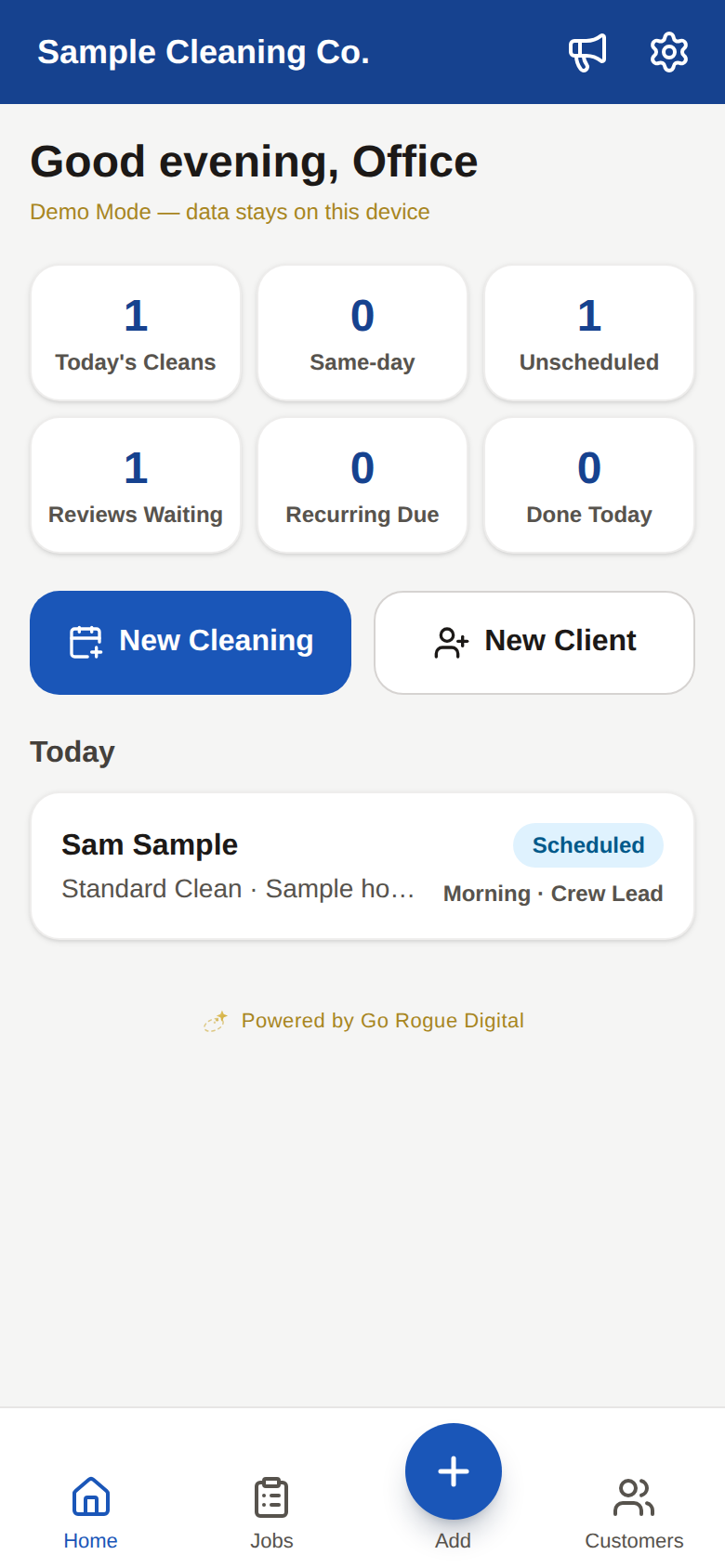
Sample Cleaning Co.
Cleaning company
A residential and commercial cleaning company: every property keeps a permanent record (gate code, alarm, key location, pets, rooms to skip), every property is on its own cadence (weekly, biweekly, every 4 weeks), and finishing a clean schedules the next reminder by itself.
Try this
- Open today's cleaning on the Job Card: the gate code, the dogs, and "skip the office" are right there before you ring the bell
- Tap On My Way: a ready-to-send text from the crew's own phone, no per-message fees
- Mark it complete and watch the next visit reminder schedule itself two weeks out
- Switch to the Office view for Reviews Waiting, the lead pipeline, and the recurring-cleans list
Best on a phone. Sample data only: it stays on your device and nothing you type is saved anywhere. Sign in as Office or Crew. Your browser's Back button brings you back here.
How The Demos Work
Real apps, fictional businesses
Restore & Repair Co. and Sample Cleaning Co. are not real companies or clients. The software is real. It is the same platform, with the business swapped out.
Open it on your phone
Each demo is a real installable app, not a video. Add it to your home screen from the share menu and it opens like any other app.
Pick a seat
Sign in as the office to see the dashboard, leads, and marketing, or as the crew to see only today's work and the buttons that matter in the field.
Sample data, on your device
Every demo runs in Demo Mode. The sample clients are fictional, everything you add stays in your own browser, and nothing is sent to us or anyone else.
Try it with no signal
Turn on airplane mode and keep going. Job cards, photos, and completions save on-device, exactly like the production apps do in a crawlspace.
Want to see it with your trade on it?
Answer four questions and get a personalized preview of your own app in about a minute: your property record fields, your reminder logic, an On My Way text with your business name on it.