 For Septic Companies
Your whole septic company, on the phone already in your pocket.
Leads, the schedule, property records, photos, estimates signed on the customer's phone, invoices, receipts by text. Built inside a working septic company in Commerce, Georgia, not in a software office.
Tuesday, 8:12am: a call comes in. By the receipt, nine screens later, nobody had to retype a single thing.
Real screenshot · a working septic company
Works with no signal
Saves on the phone, syncs when the truck finds bars.
Texts from your own number
Every message opens in Messages, pre-written.
Keeps your card reader
And your bookkeeper. It never touches your money.
Crew never sees a price
Techs get the work. The office keeps the numbers.
A Day In Screens
Tuesday, start to finish.
From the call that comes in at 8:12 to the receipt that lands on the customer's phone: every screen the office and the crew actually use, in the order they use them. The customers are made up. The workflow is exactly what runs at a working septic company every day.
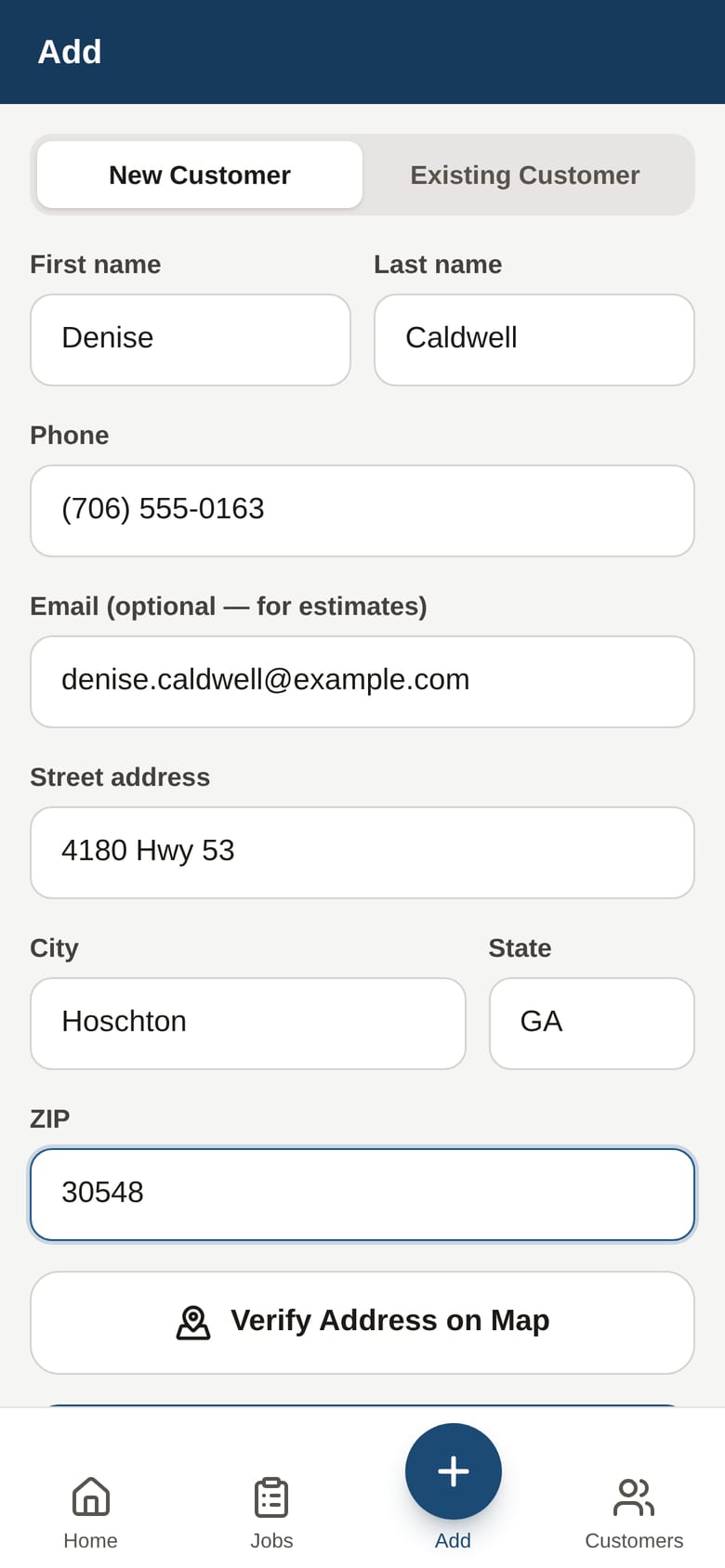
The call comes in
A lead is logged in twenty seconds, and the app already knows what to do with it.
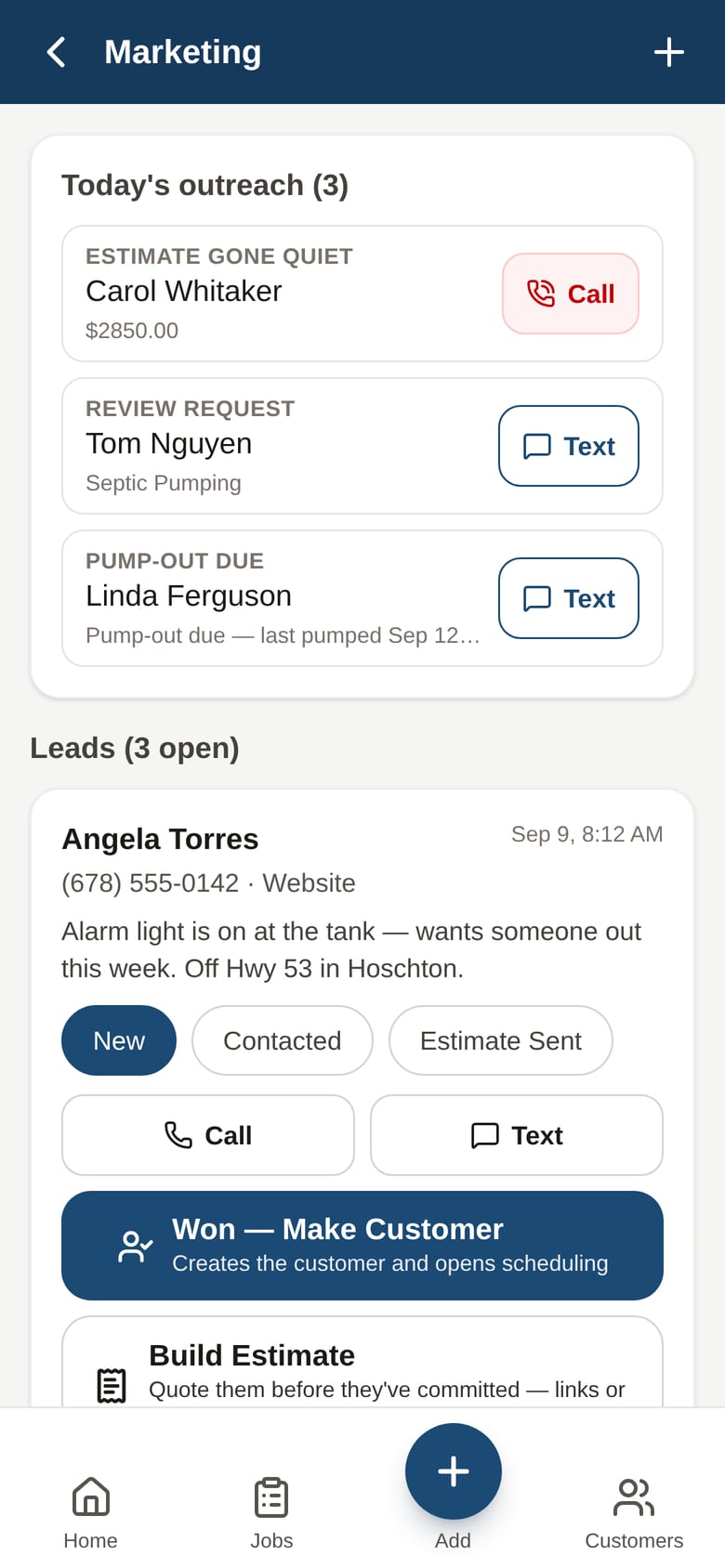
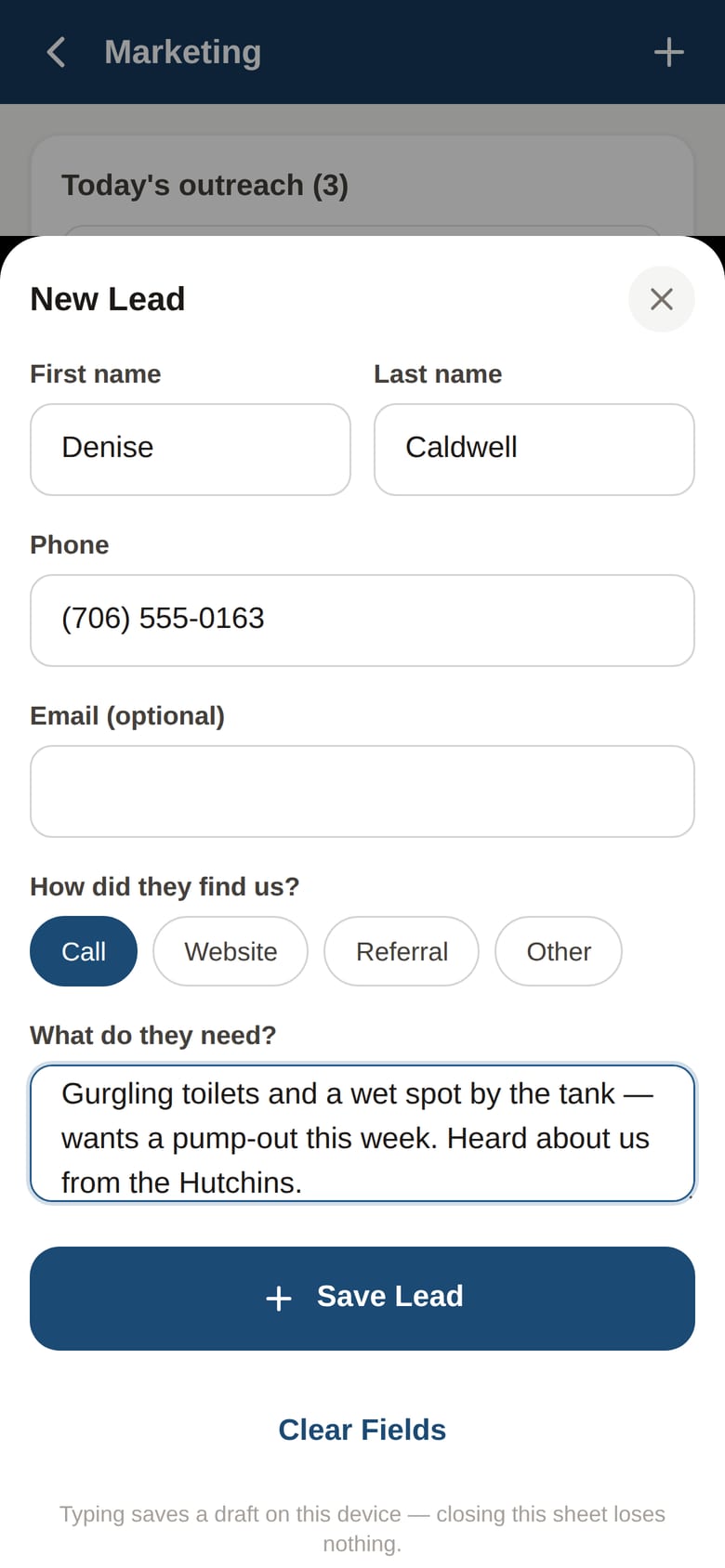
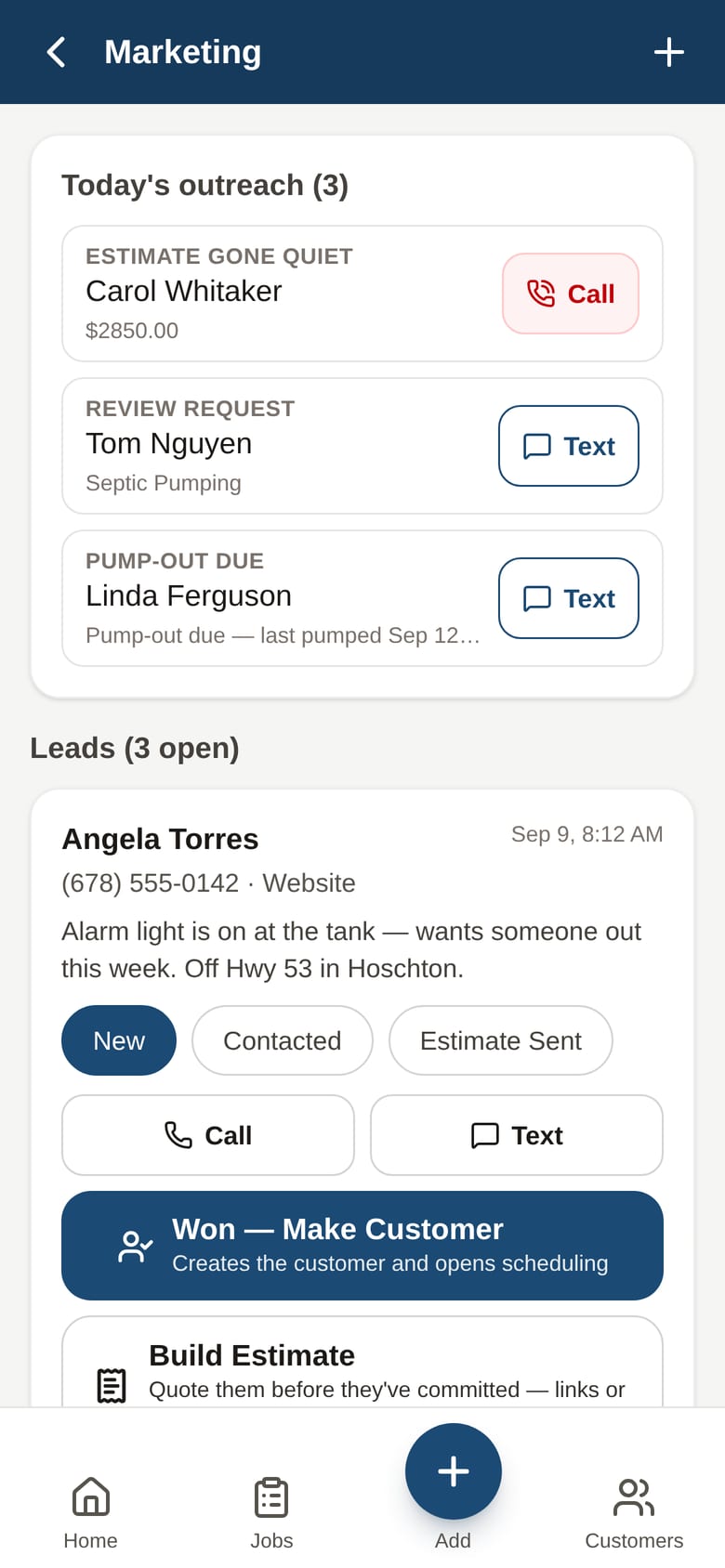
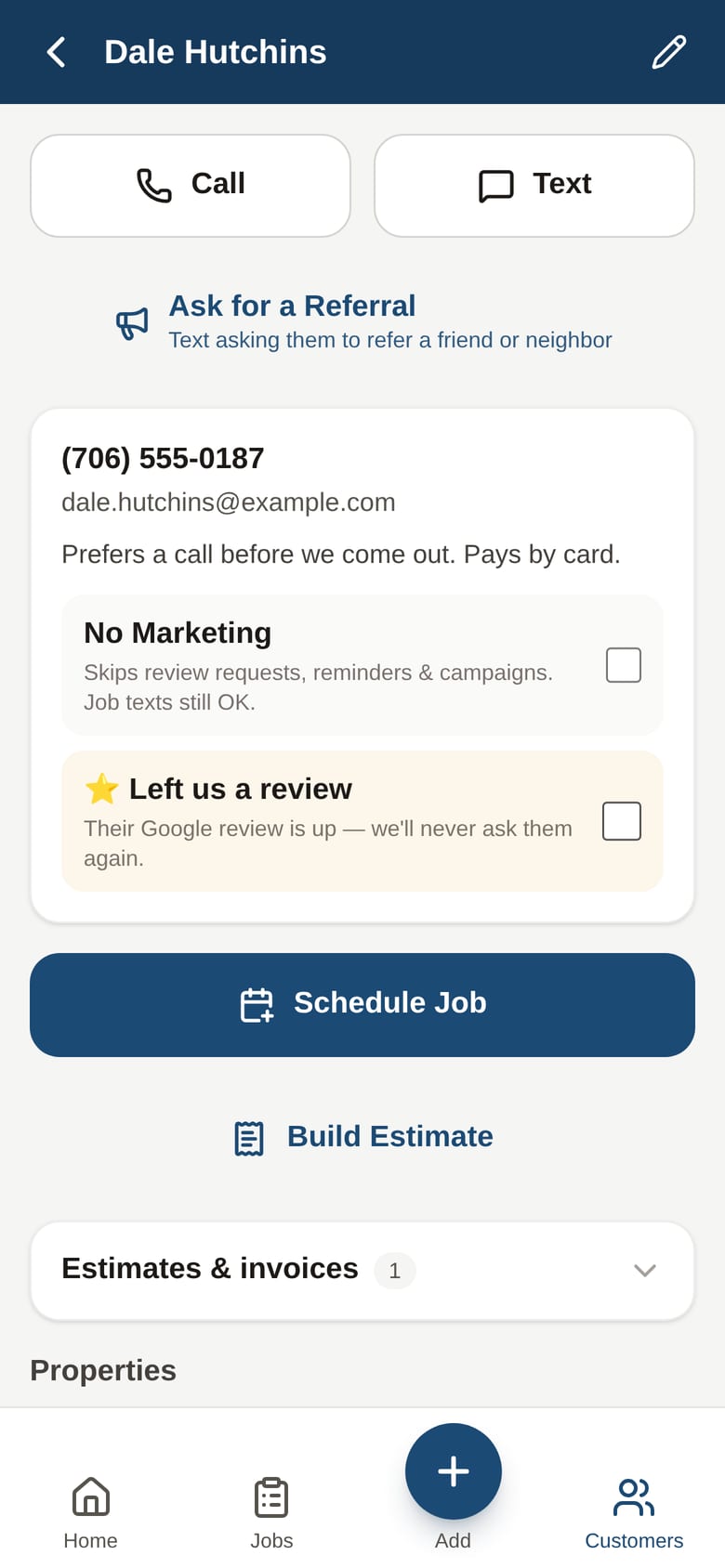
One tap makes them a customer
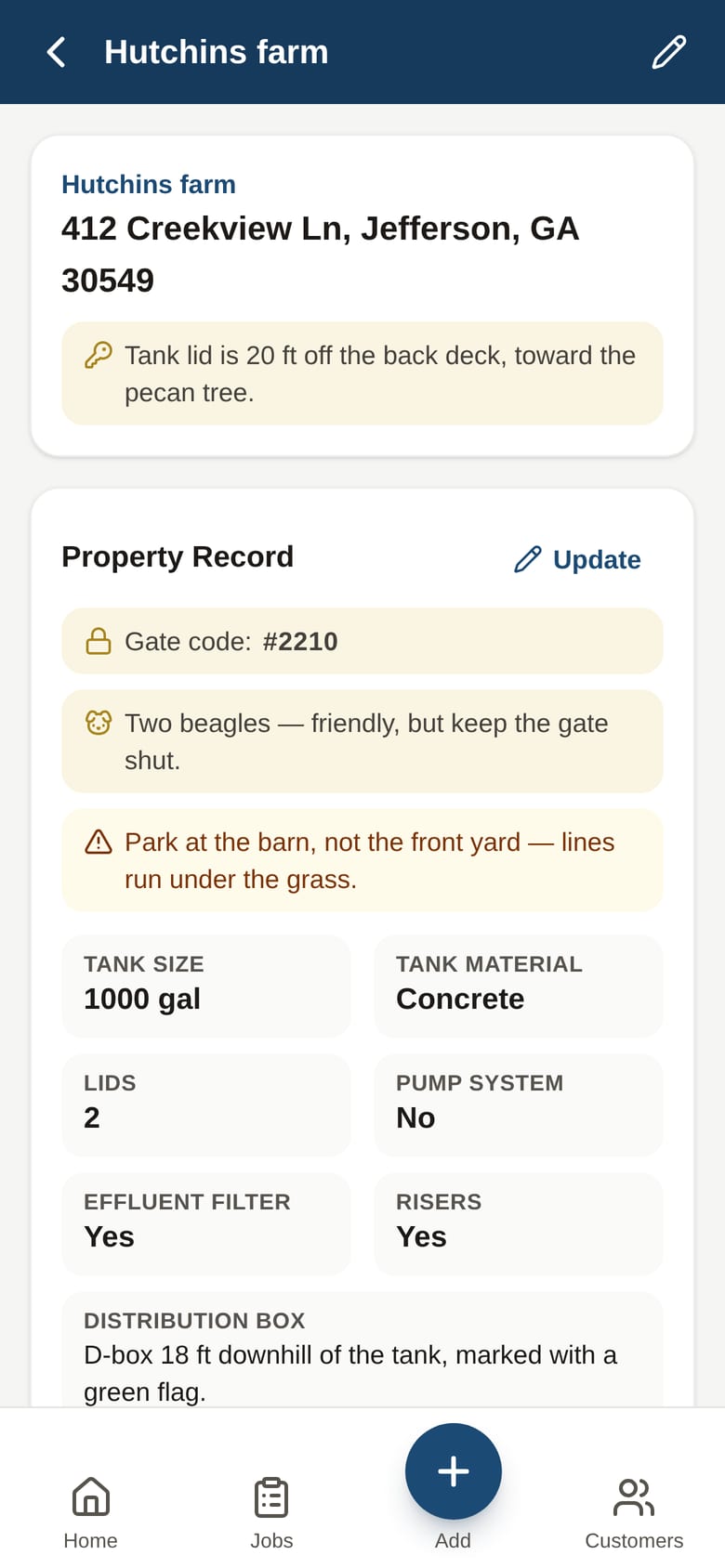
The property is the permanent record. Gate codes, dogs, where the lid is. Learned once, never asked again.
Booked where the trucks already are
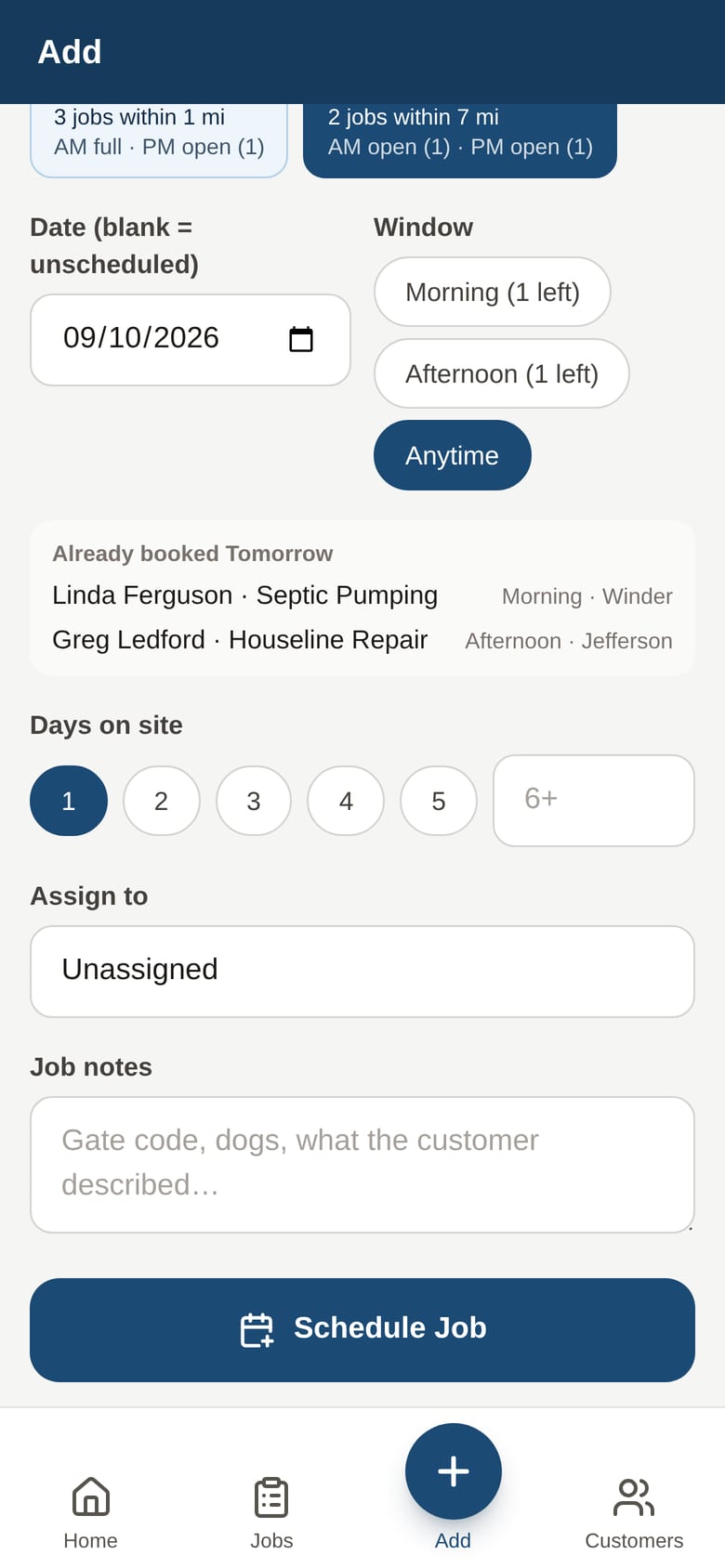
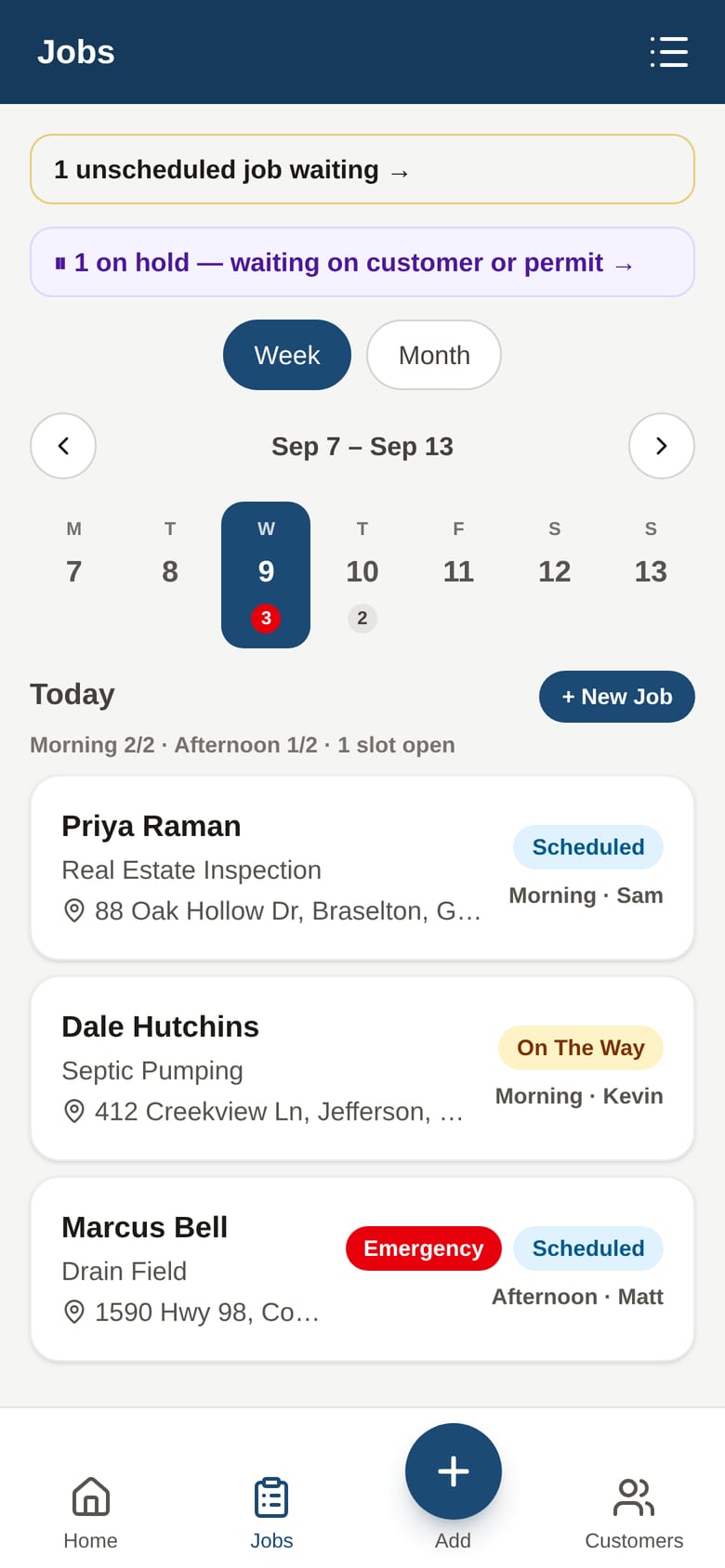
The schedule shows which day has a truck within a mile of the new job, and how many slots are left in each window.
In the truck
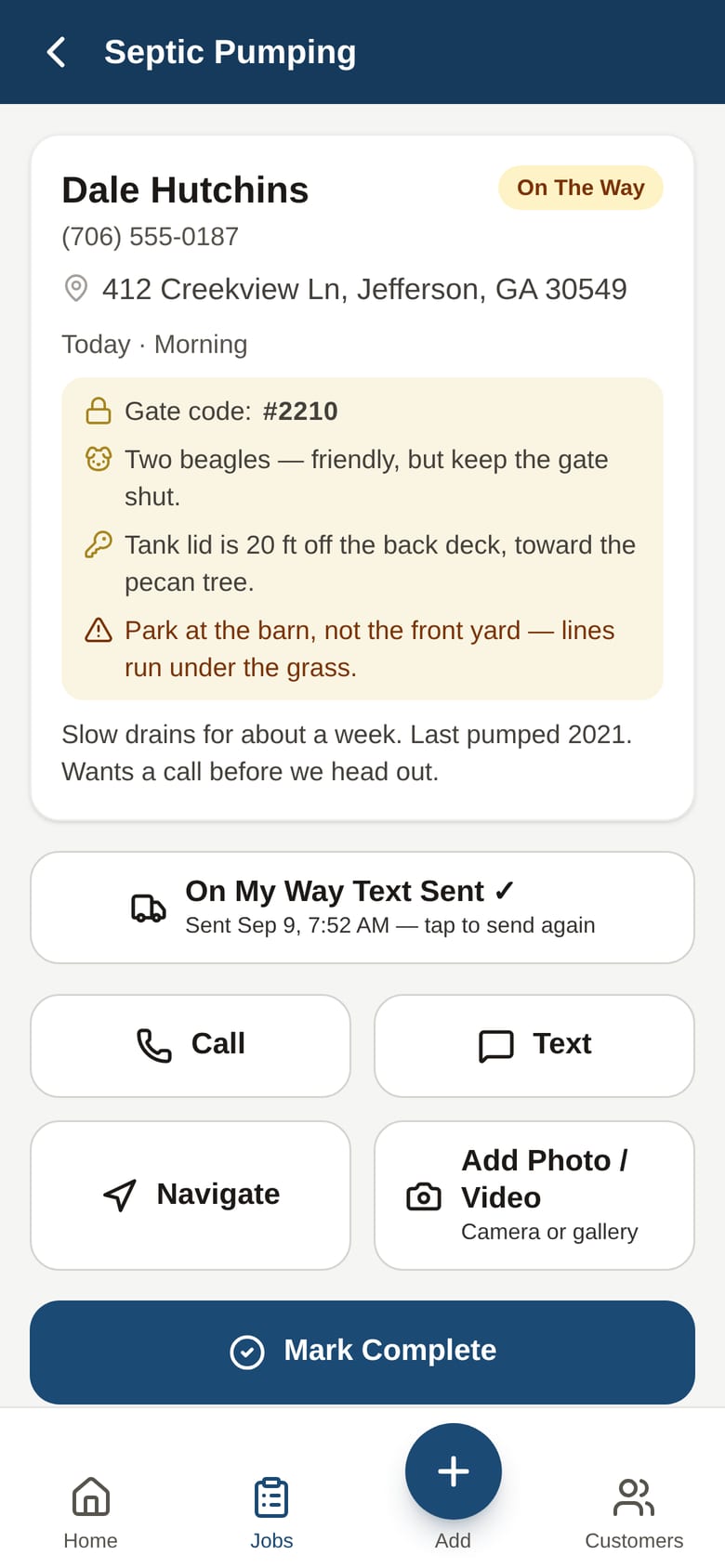
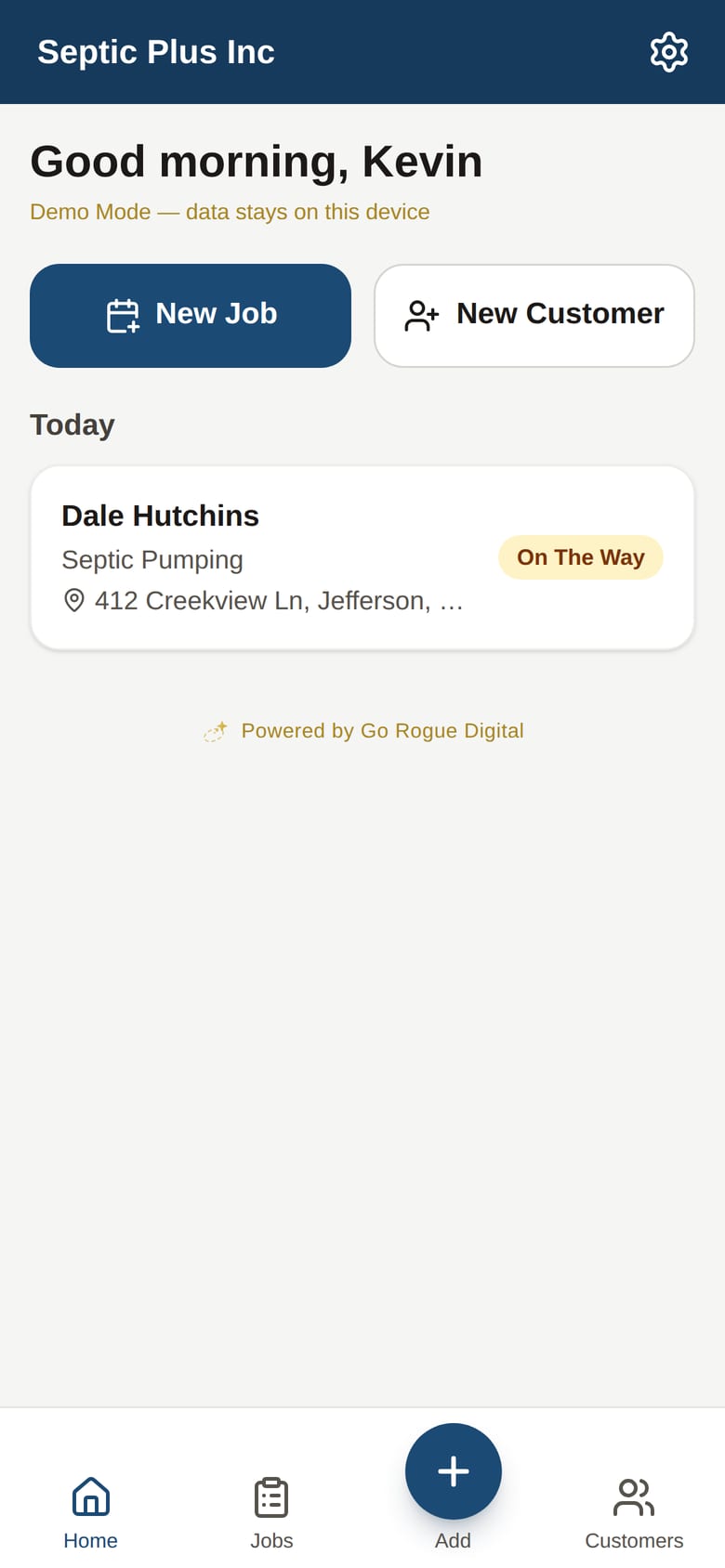
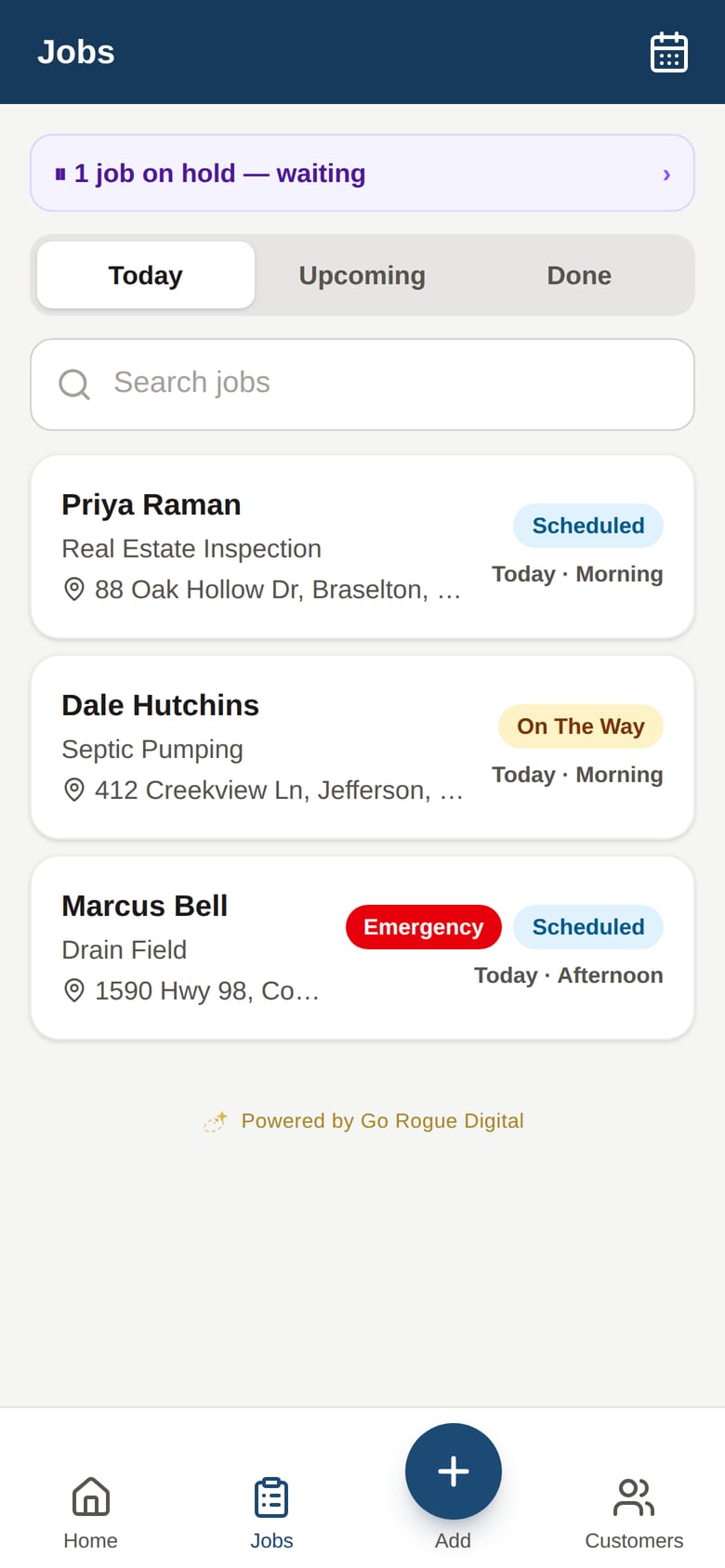
The tech's phone shows the work, the heads-up, and four buttons. Nothing to read that isn't about this job.
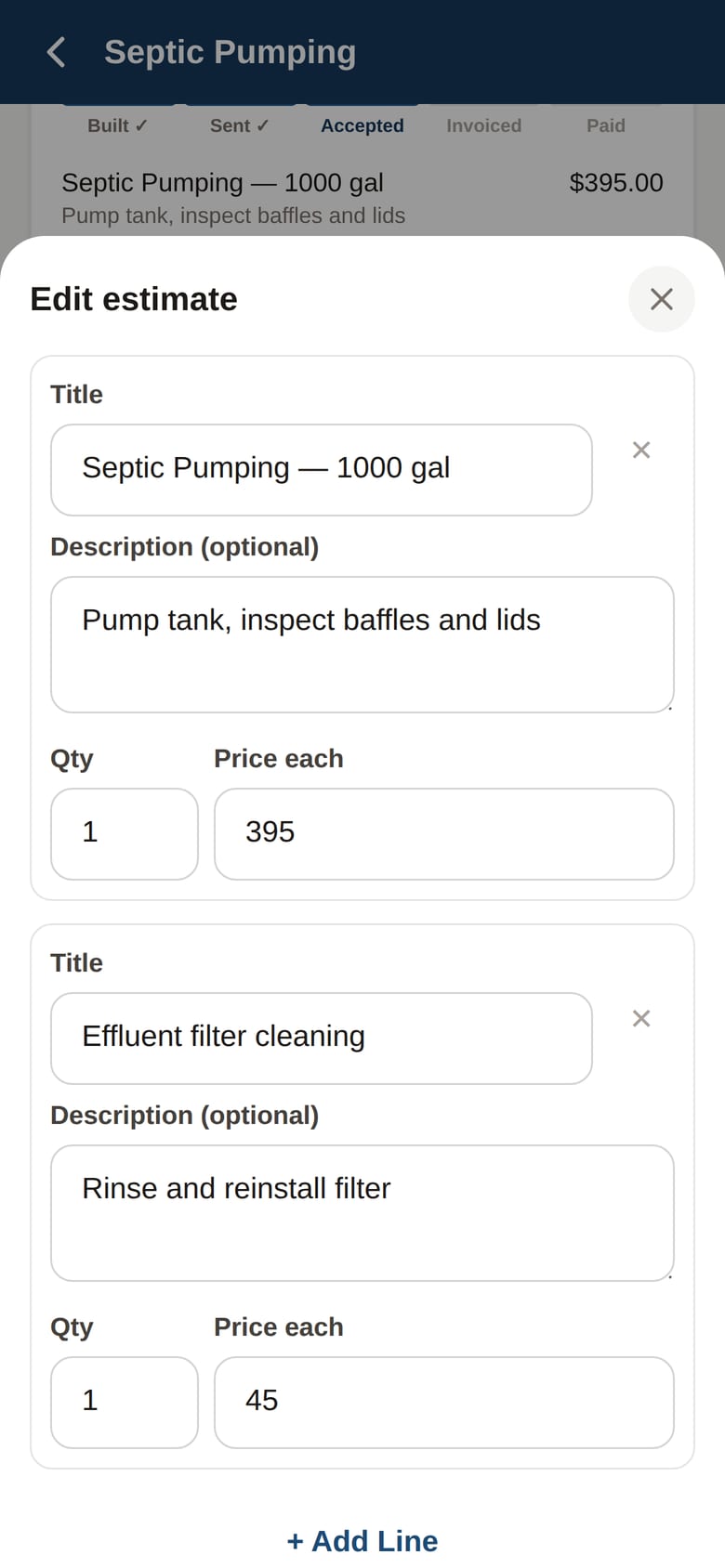
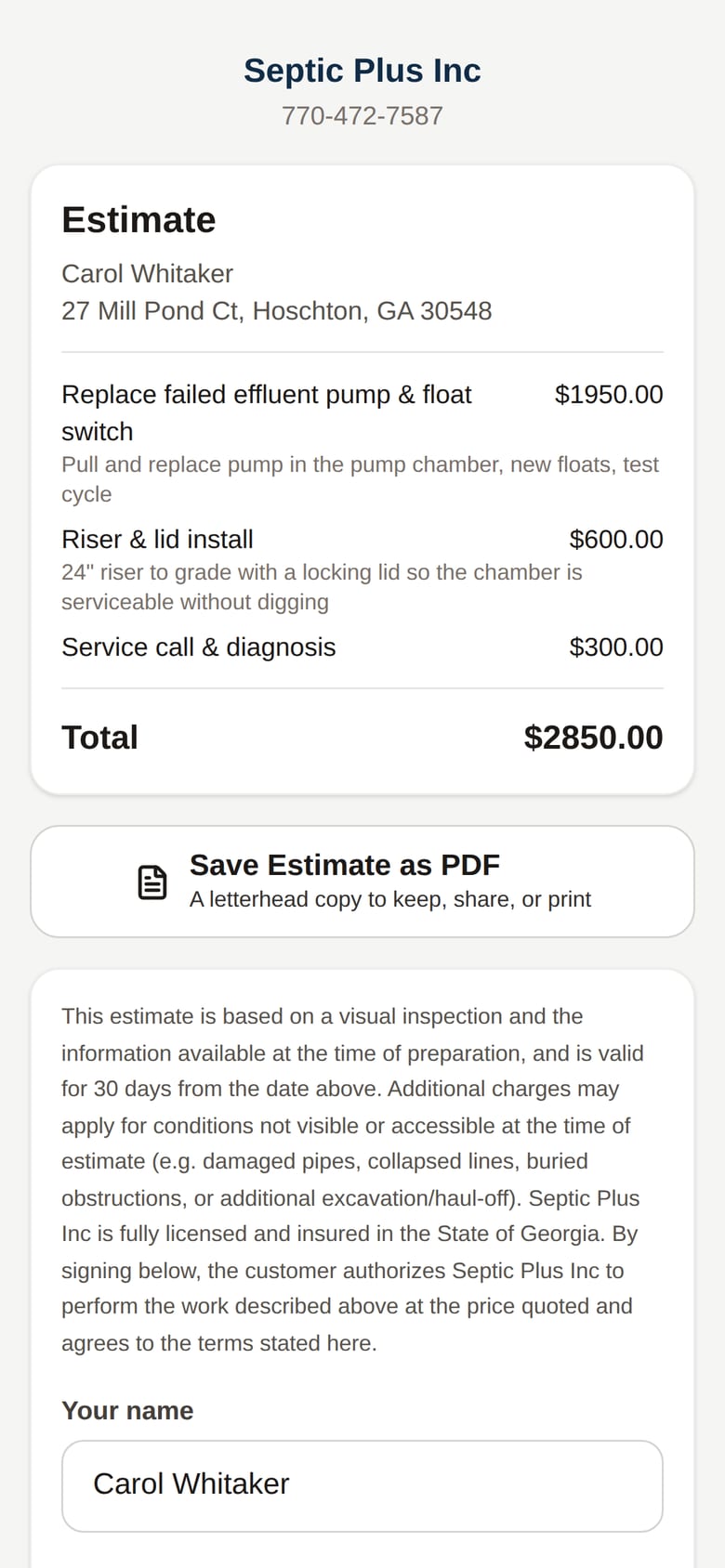
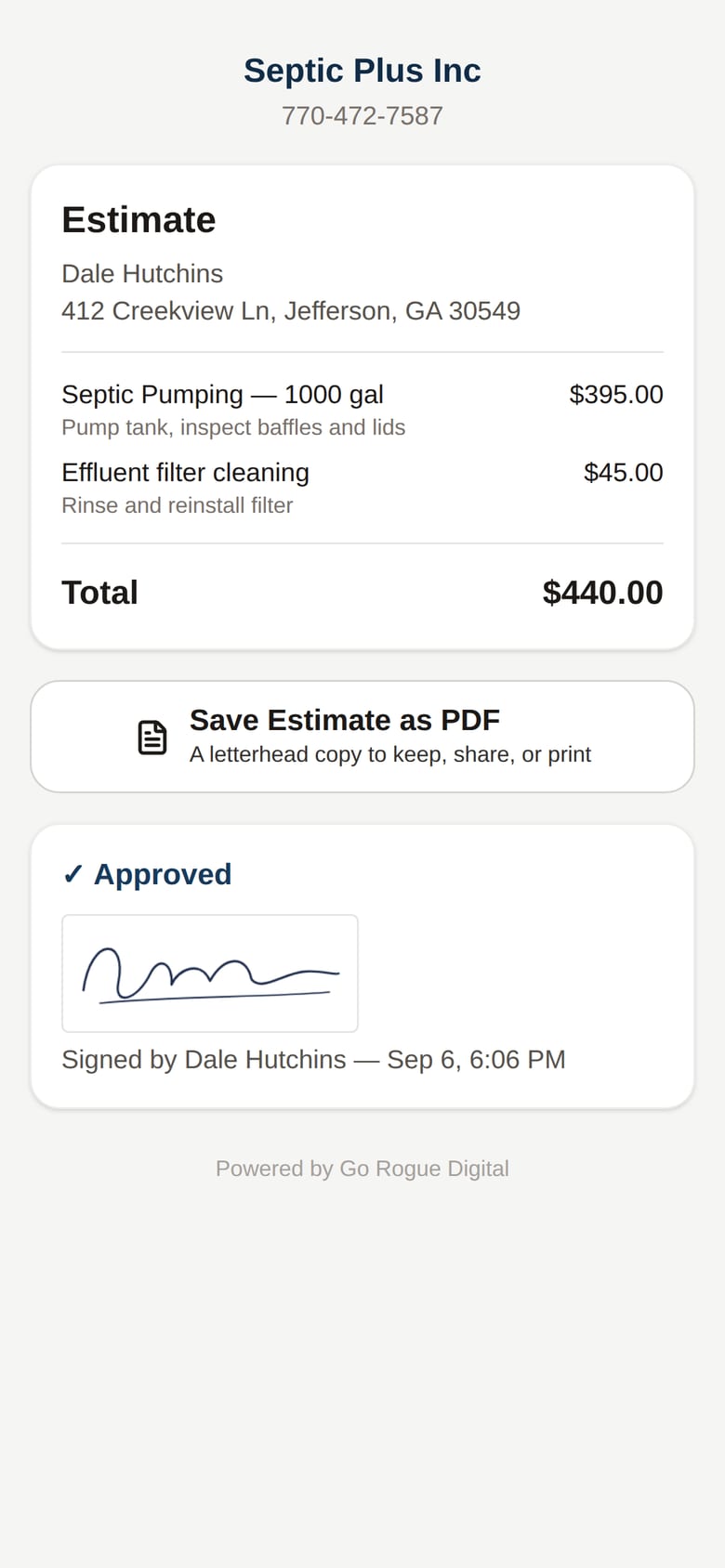
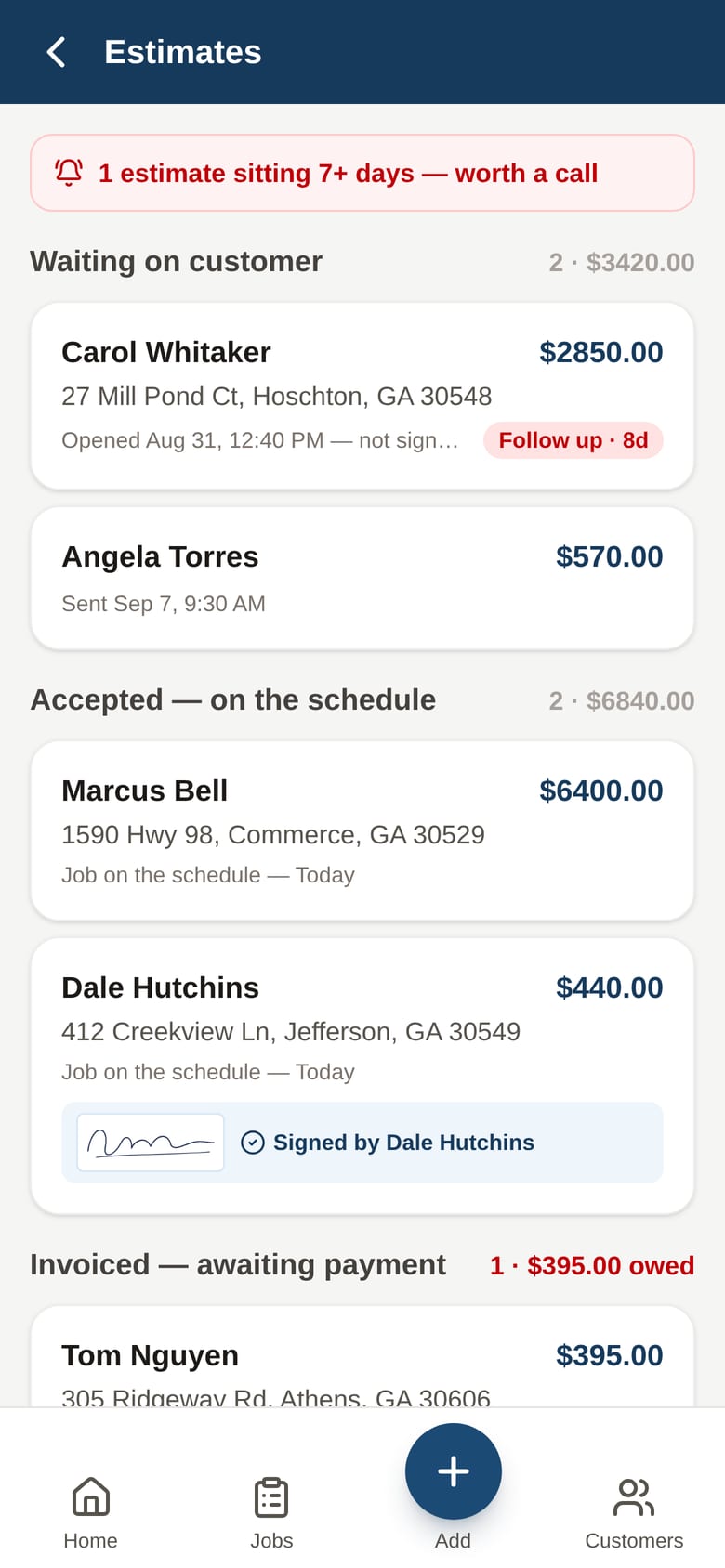
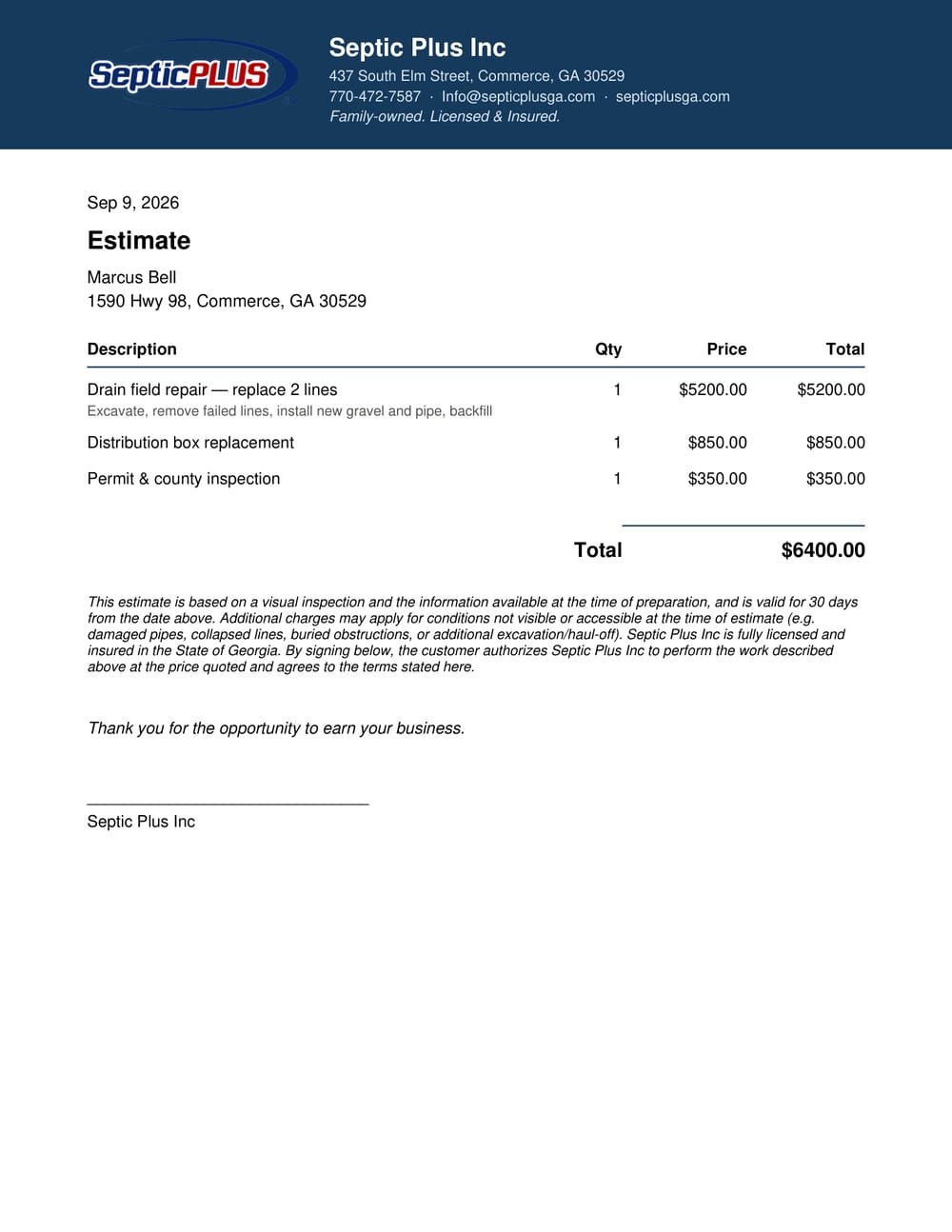
Quote it, send it, get it signed on their phone
An itemized estimate in a minute, sent by text, signed by the customer on their own phone, and the office sees the moment they open it.
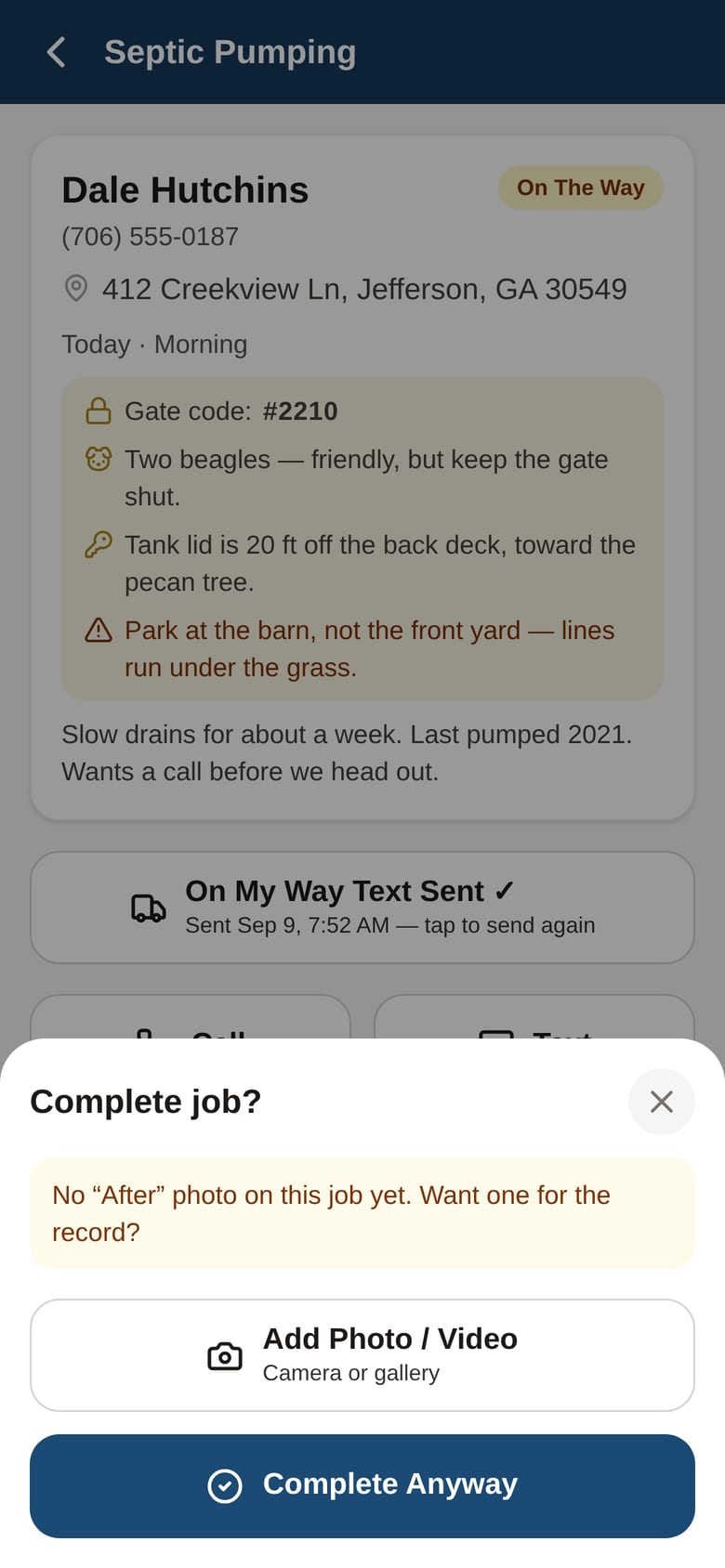
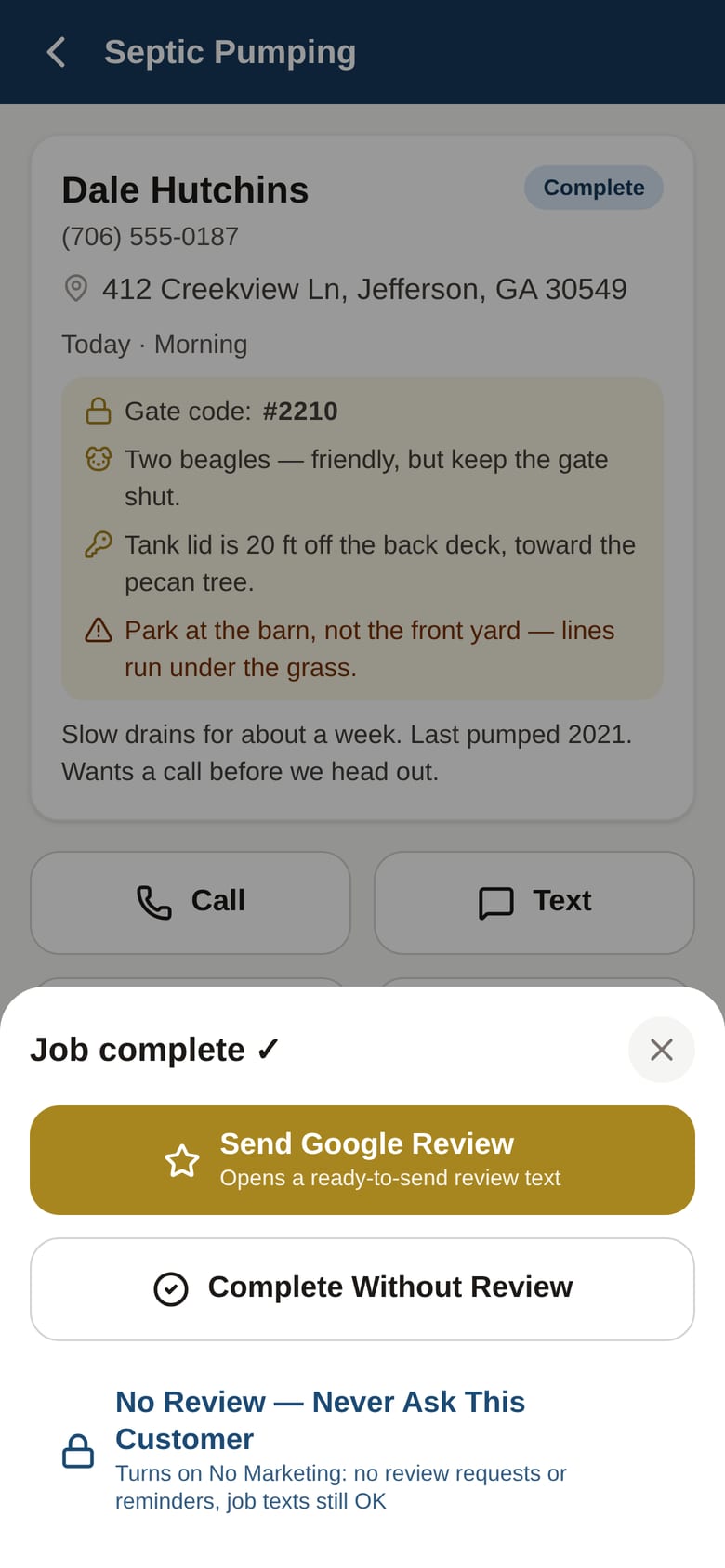
Done, and the review ask is one tap
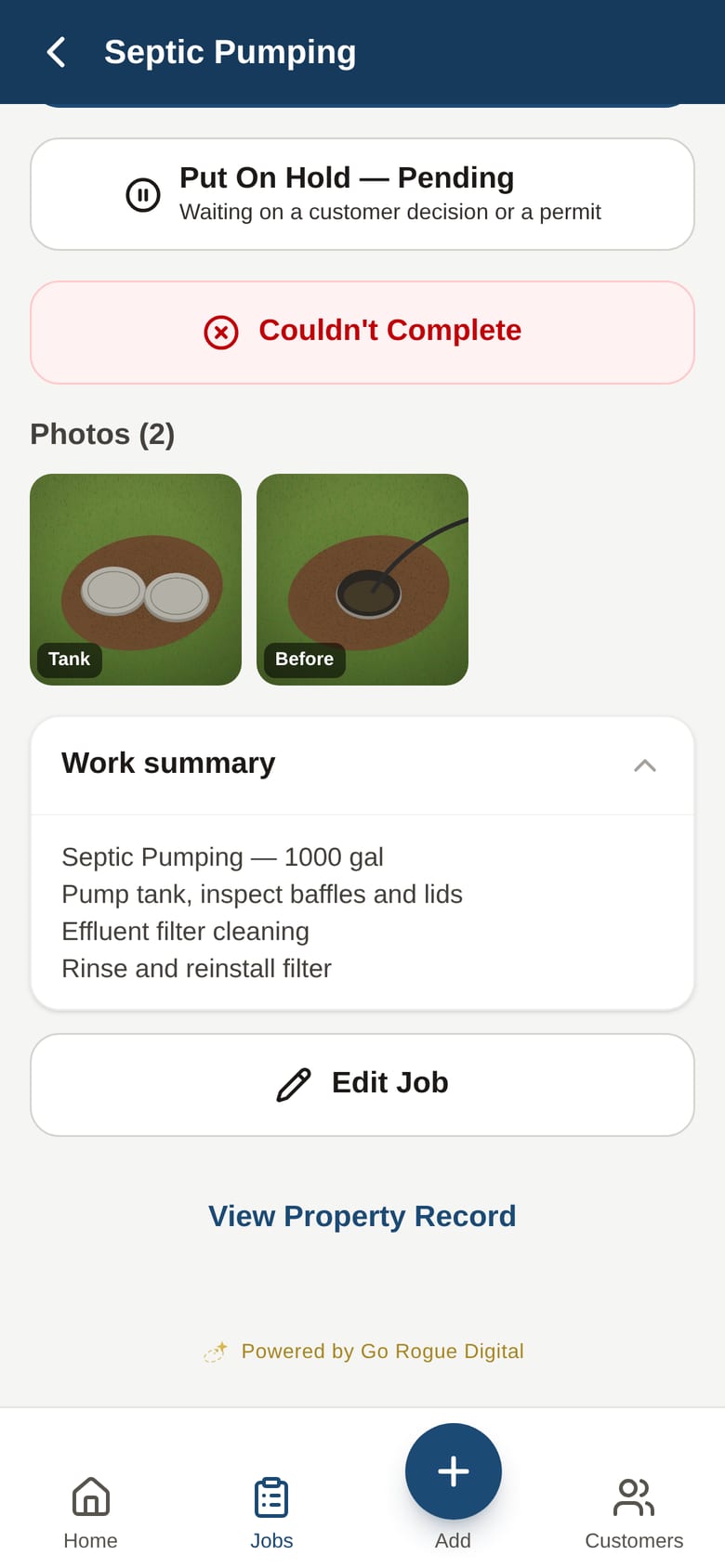
Completing a job asks for an After photo, then offers the Google review text. The office never has to remember to follow up.
Invoice, payment, receipt
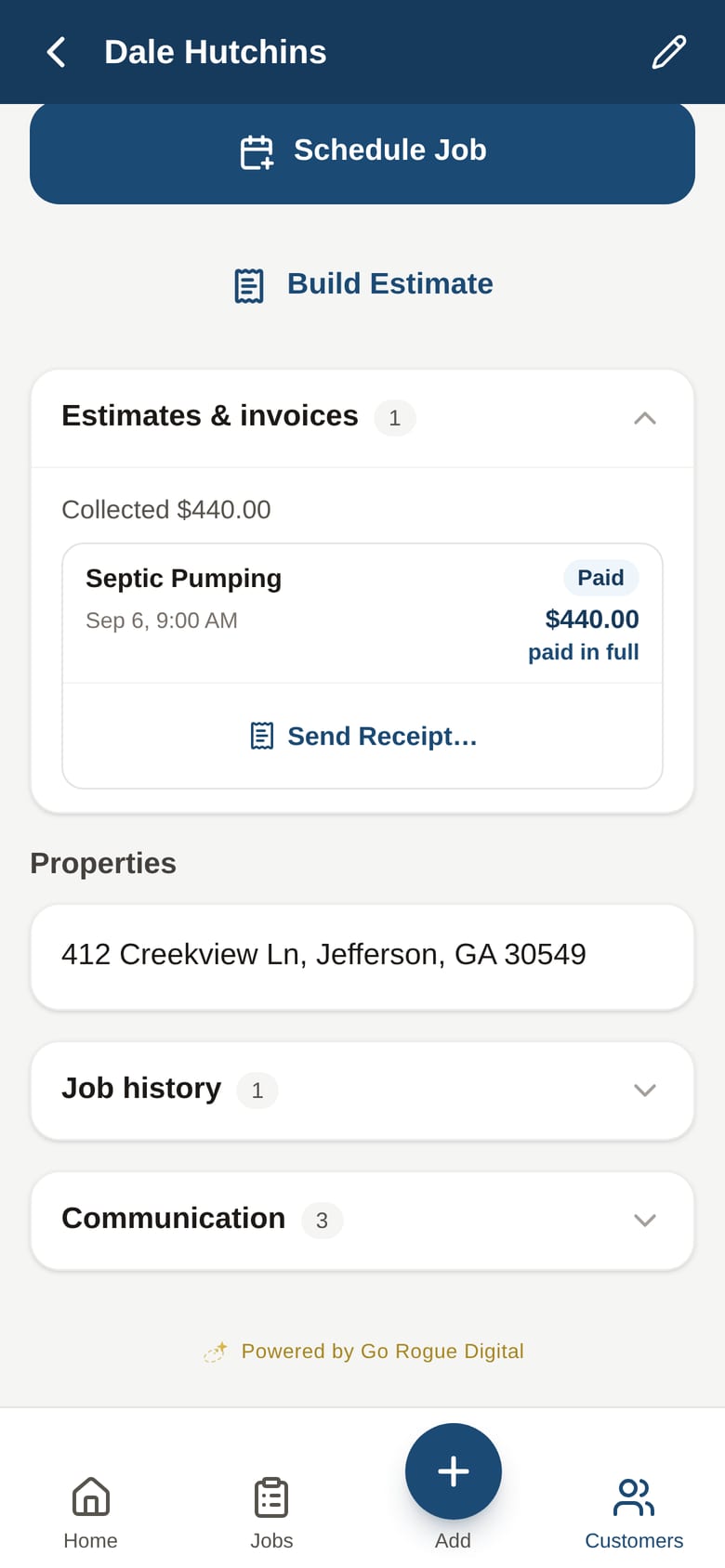
The estimate becomes the invoice when the job completes. Record the payment, and the app asks whether to send a receipt.
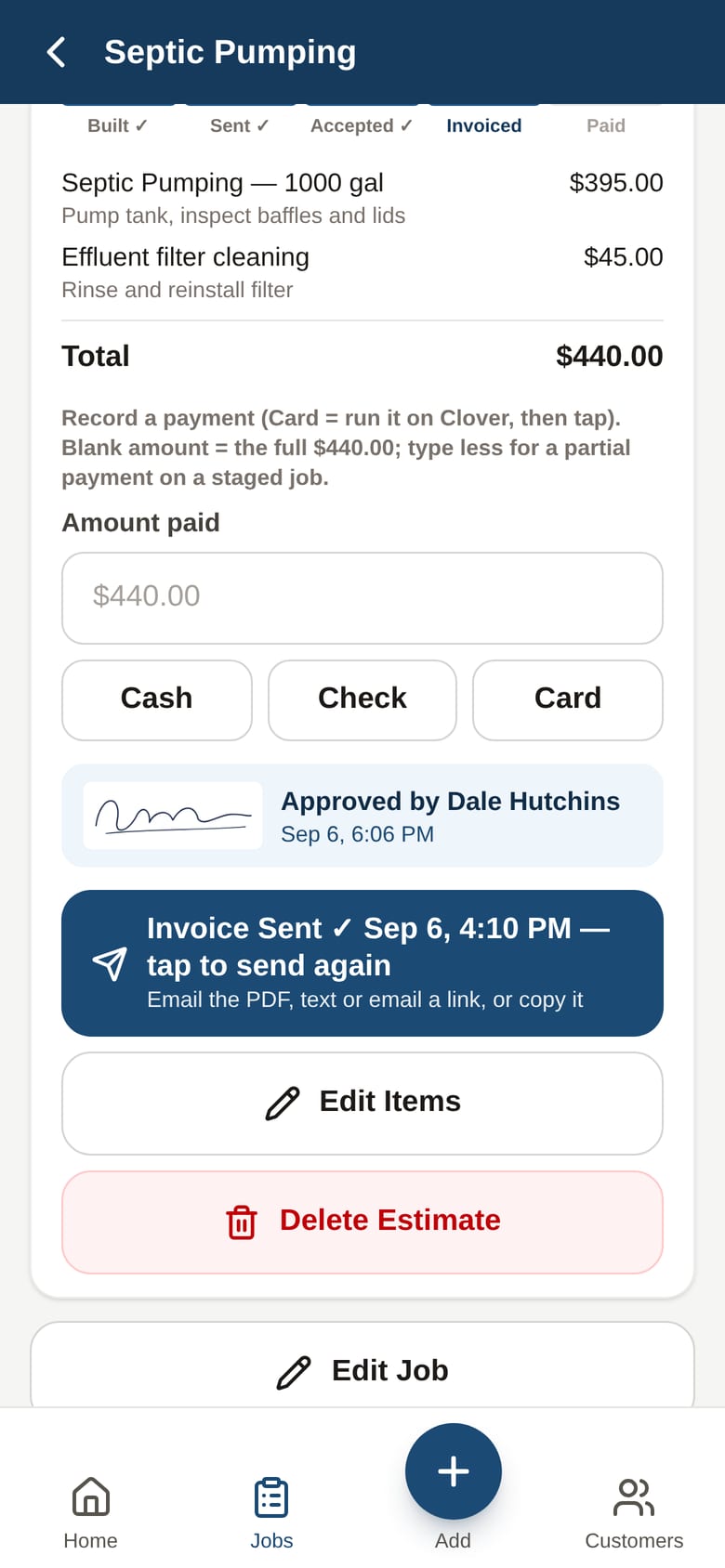
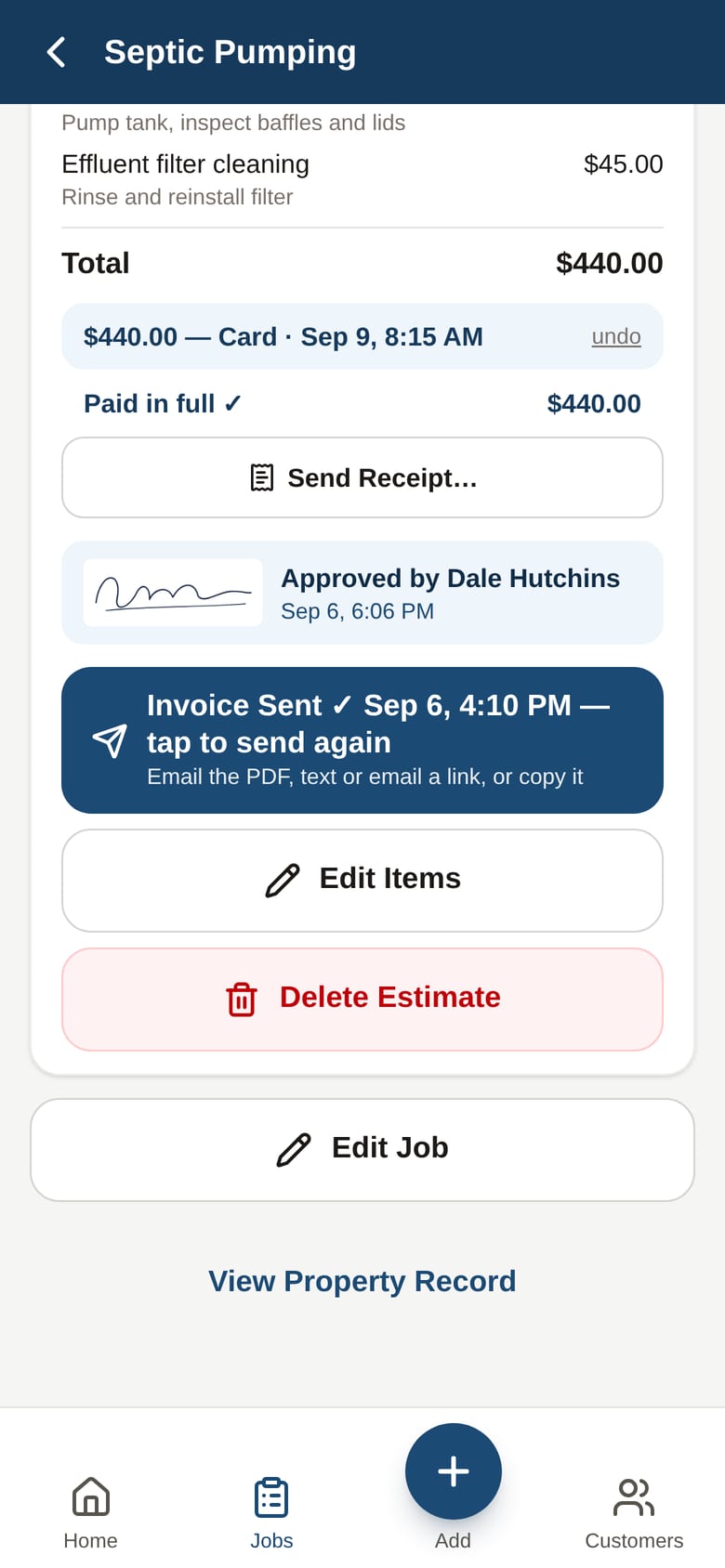
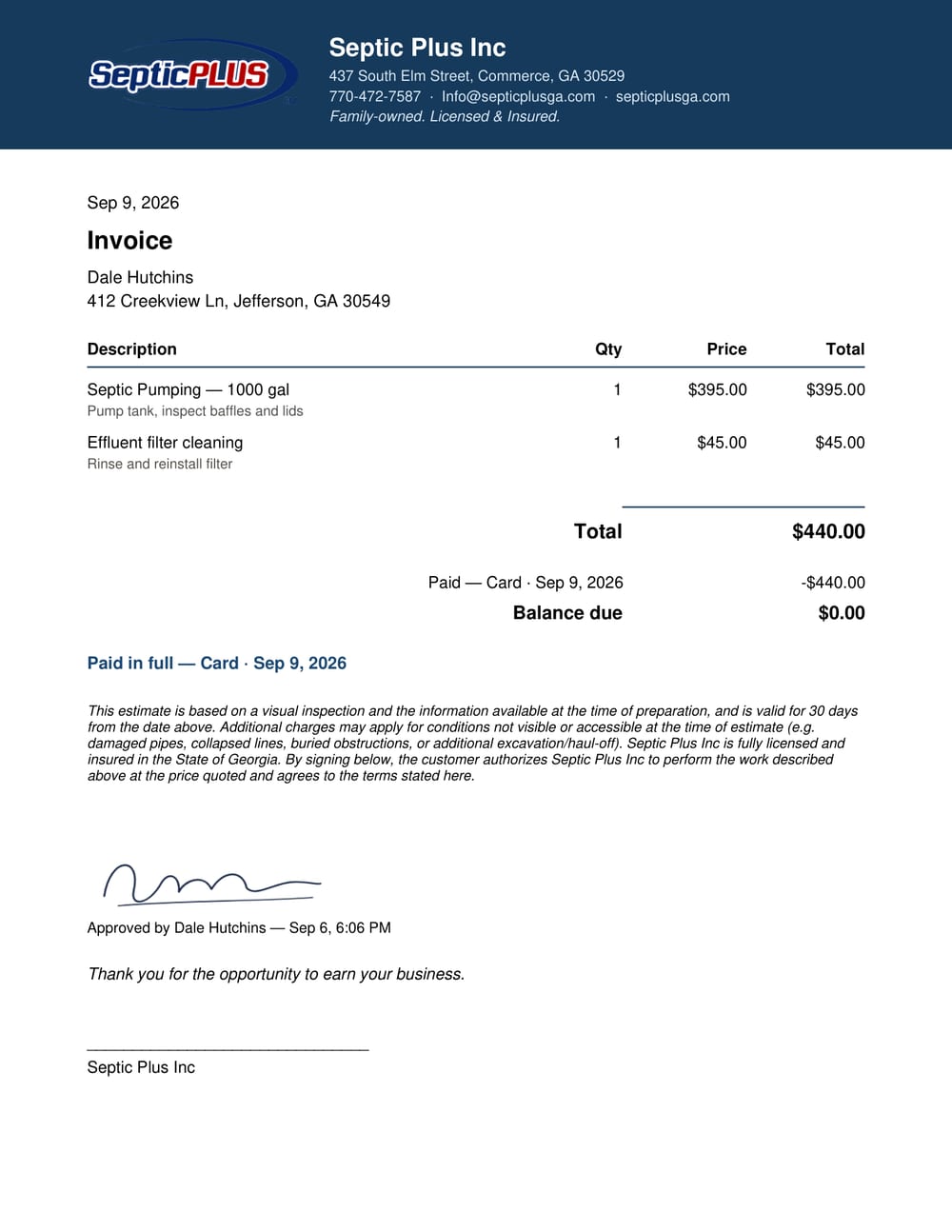
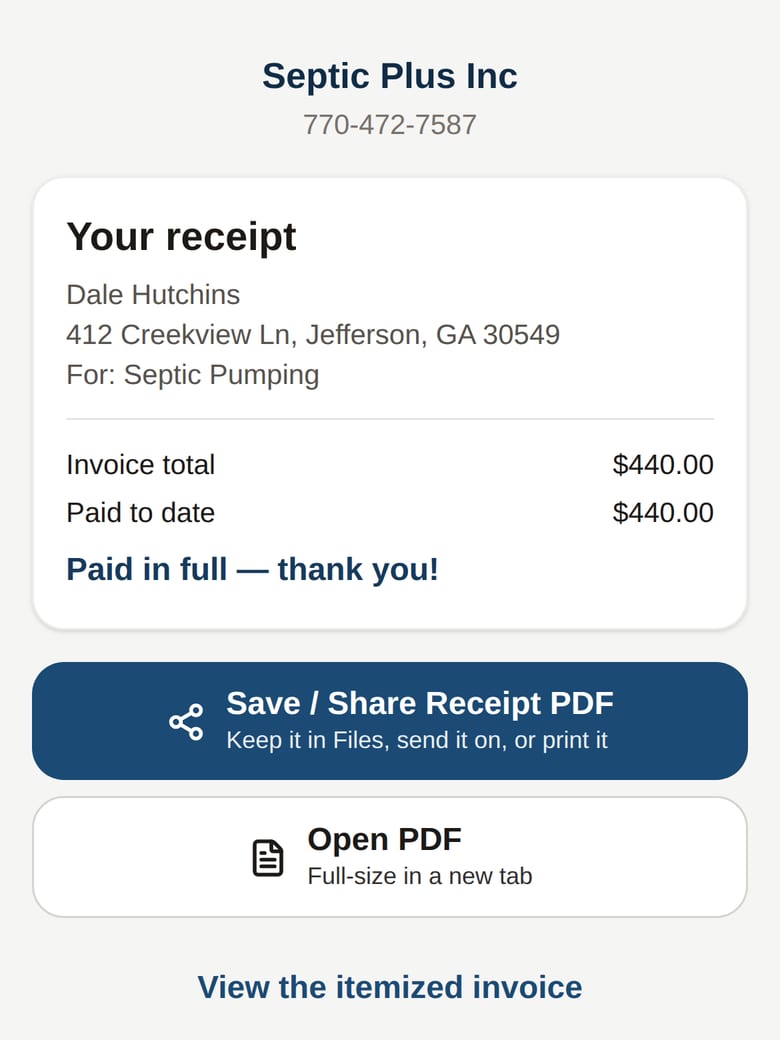
The customer gets a real receipt, by text
The link in the text opens a letterhead PDF on their phone. Save it, share it, print it. No account, no portal.
It keeps working the list
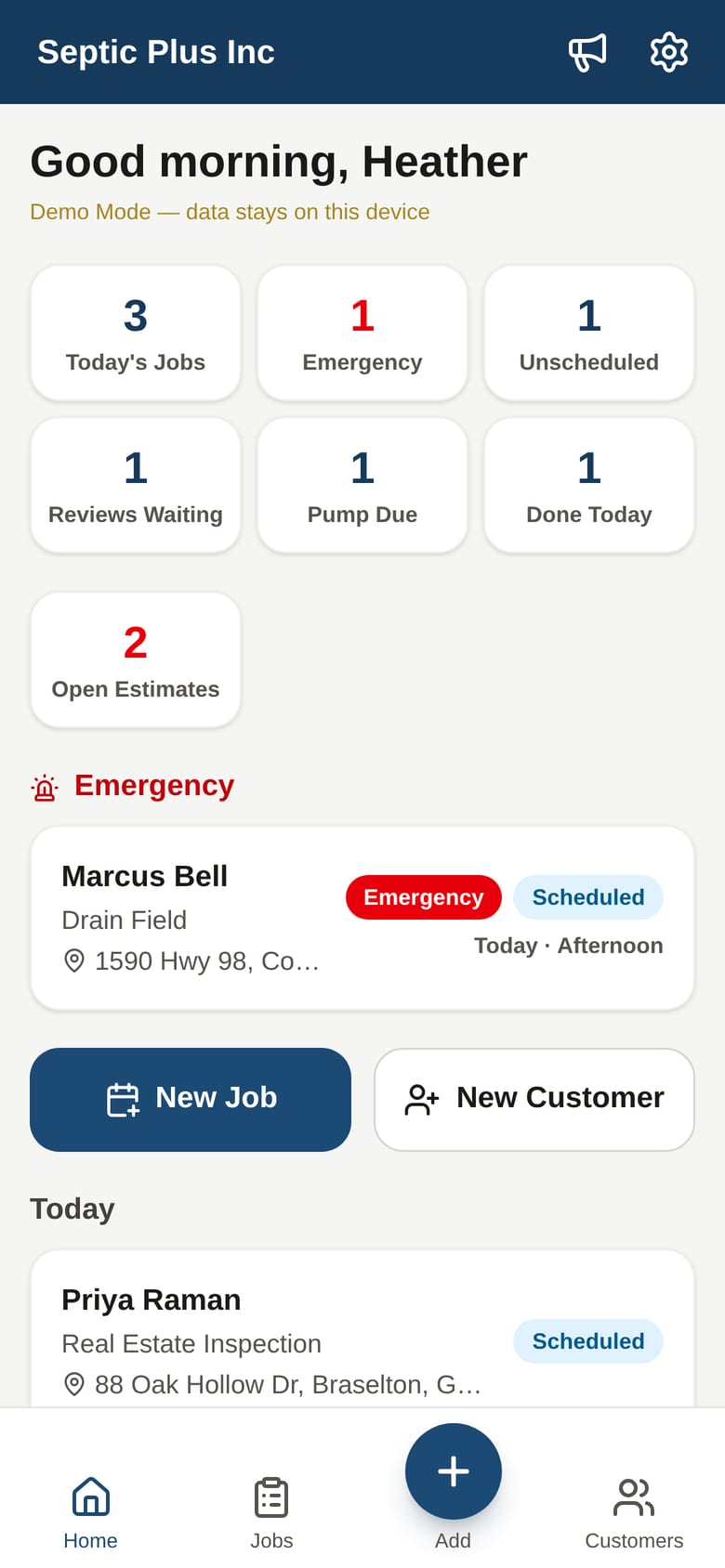
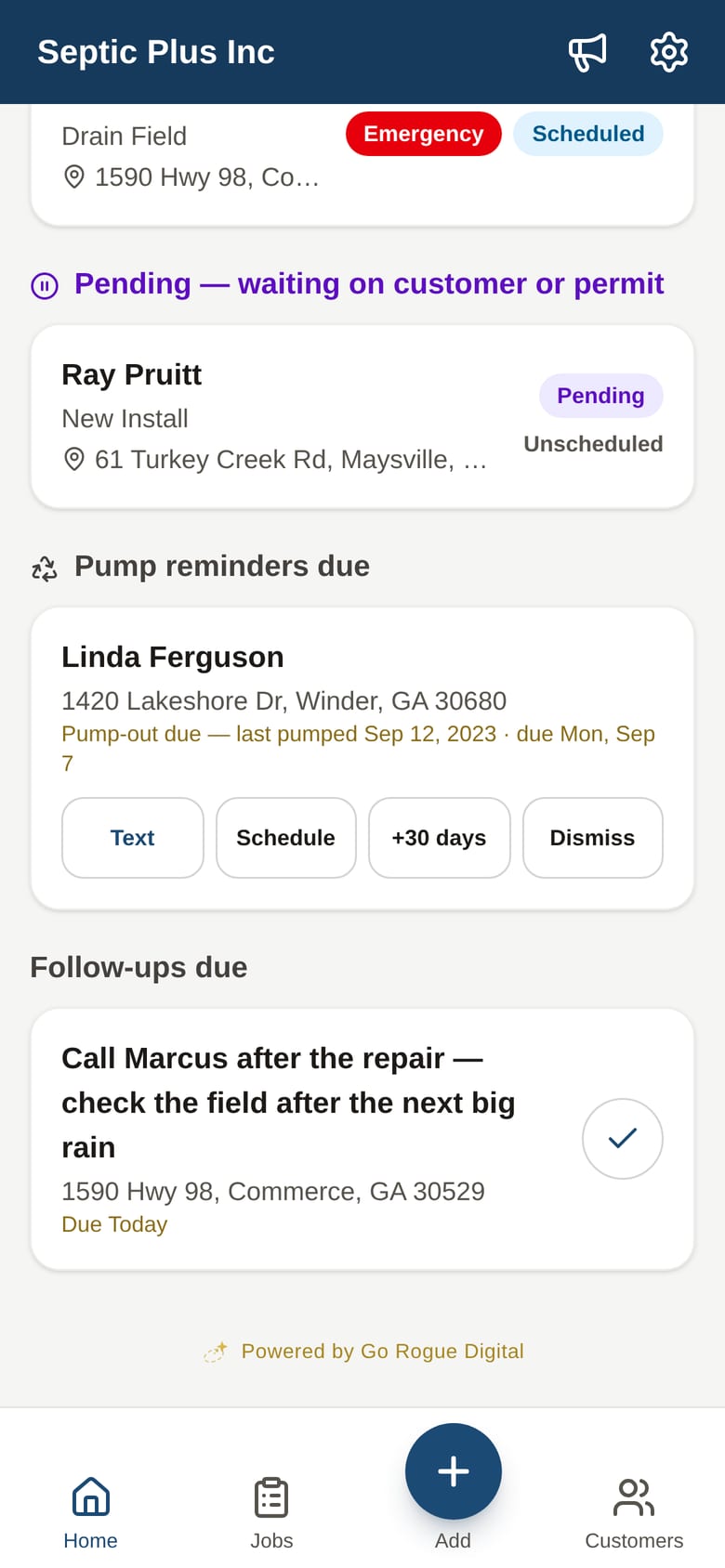
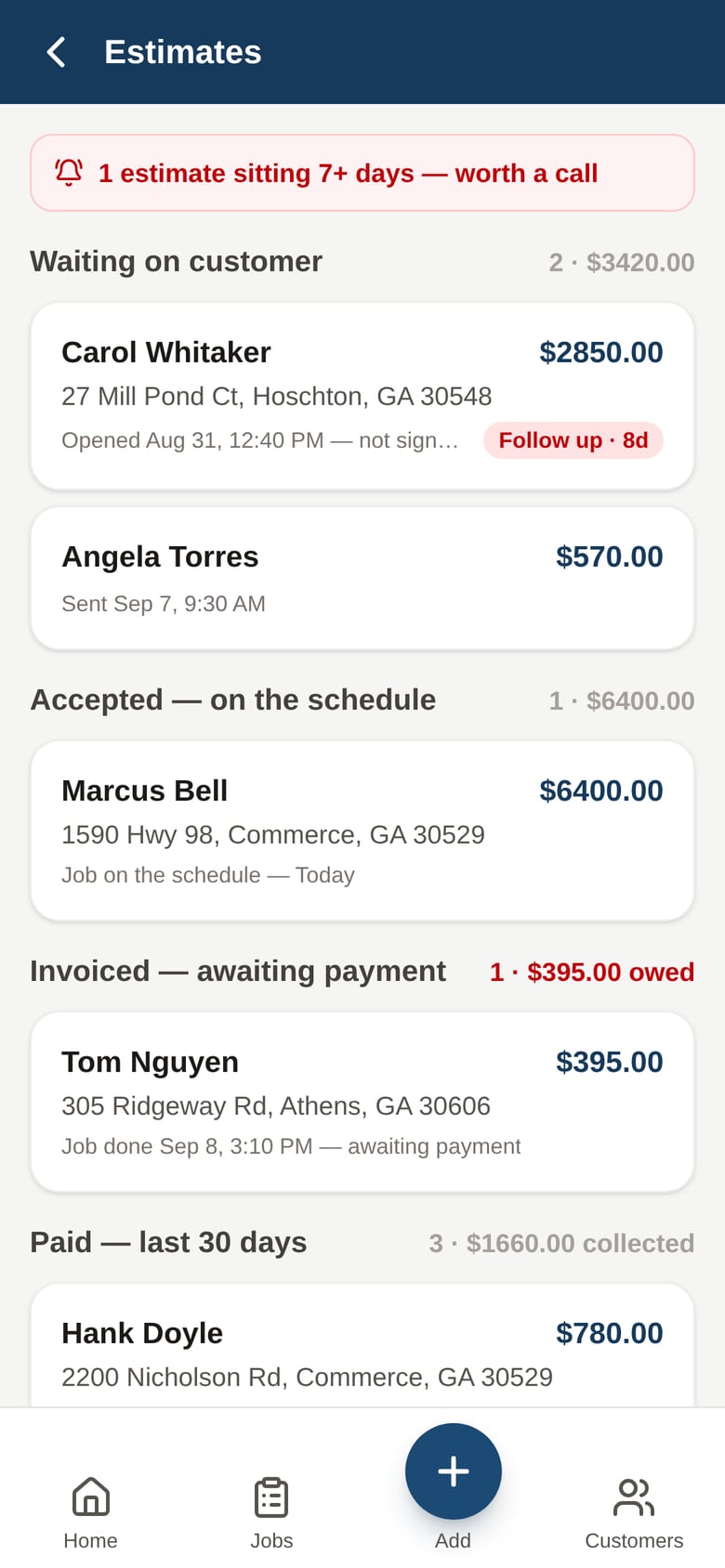
Pump-out reminders come due on their own three years after the job. Quiet estimates flag themselves. The office opens the app and the day is already sorted.
Why crews actually use it
- Buttons before details. On My Way, Call, Text, Navigate, Photo, Mark Complete. Big enough for gloves, readable in sun.
- The heads-up box. Gate code, dogs, where the lid is, where not to park, on the job card before they're out of the cab.
- Nothing to fill in later. Photos, completion, the review ask. All from the truck, all in the moment.
- No signal, no problem. Every tap saves on the phone first and syncs when it can.
- They only see their jobs. No prices, no pipeline, no office screens.
Nothing to rip out
- Keep your card reader. Clover, Square, whatever you run. The app records that the customer paid. It never processes the card.
- Keep your bookkeeper. QuickBooks stays the books. The app is the customer record.
- Keep your phone numbers. Texts come from the office's and the techs' own phones. No new number, no per-message fees.
- Bring your customer list. Import it from a spreadsheet on day one; the property records start filling in on the first visit.
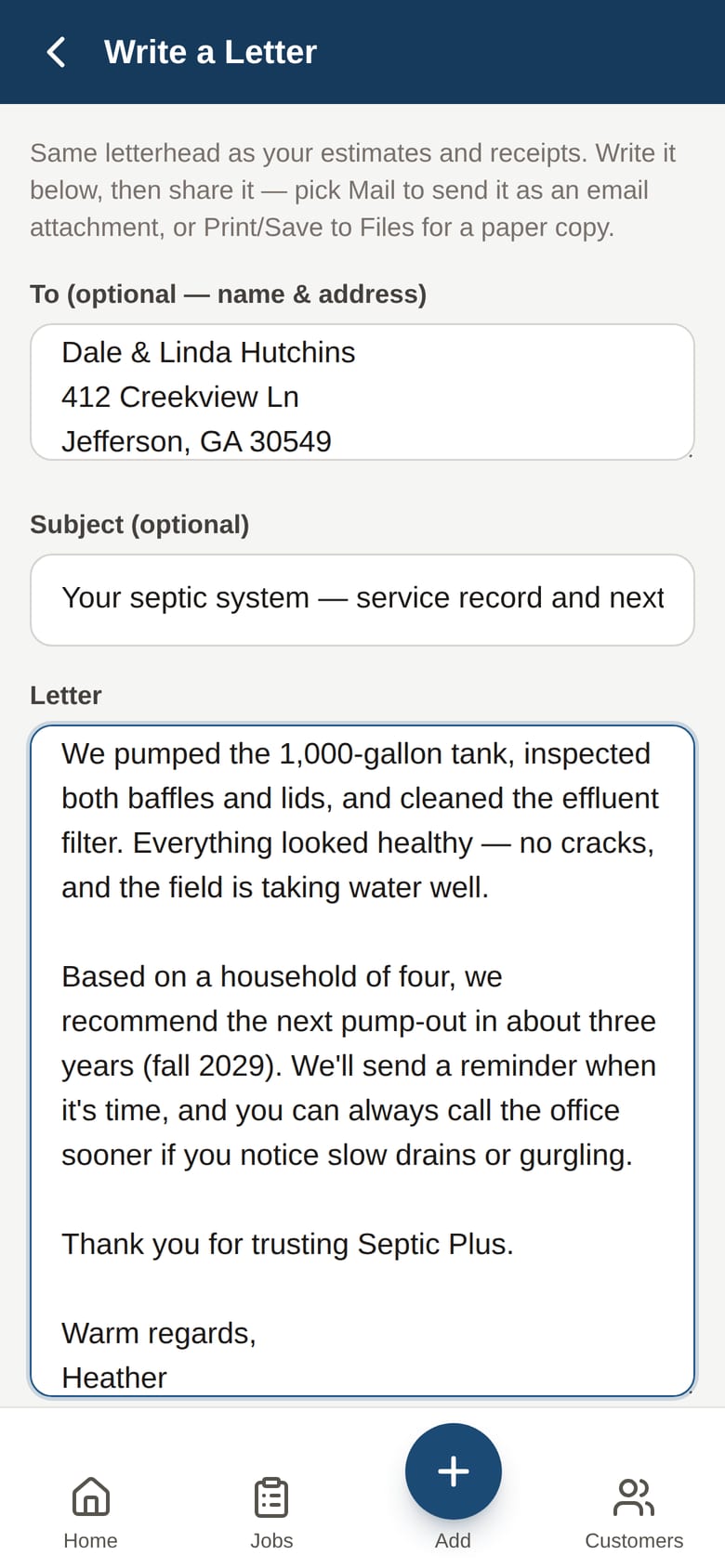
- Your words, your letterhead. On-my-way, review, reminder and referral texts are your templates. Estimates, invoices, receipts and letters carry your logo.
Not A Concept
Not a prototype. Live since July 2026.
Every screen above is a real capture of the app our founder's septic company runs every day in Commerce, GA, hundreds of properties and jobs deep. There's no separate demo version to hand you: what you'd get is a branded build of exactly this.
See what it costsTry it on your phone
A demo company, already running its week.
Hollis Creek Septic is made up, but the app is the real thing. Open it, tap Continue as Office, and run a Tuesday. Nothing you do is saved anywhere but your own phone.
Open the demoEvery customer name, address, and dollar figure in the screens above is fictional.
Pricing
Two plans. One flat monthly. No per-user fees.
Septic is the trade this app was built inside of, so there is no discovery call and nothing to design. Pick the plan that matches your company. A one-time setup puts your name on it, then a flat monthly runs it. No per-user fees, no per-message fees, no percentage of your payments.
Septic Solo
You run the truck and the phone
- Two logins: you, plus one more
- Leads, the schedule, jobs, photos, and the permanent property record
- Estimates signed on the customer's phone, invoices, receipts by text
- Pump-out reminders on their own clock, plus the review and referral asks
- Every text from your own phone, no per-message fees
- Works with no signal, installs from the browser, nothing to download
- Your own private database, nightly backups
- Your logo on every estimate, invoice, receipt, and letter
The demo is free. Month-to-month after setup, cancel any time.
Septic Crew
An office and trucks in the field
- Everything in Septic Solo
- Logins for the office and every tech, no per-user fees
- Techs see only their jobs, never a price
- The office keeps the money: pipeline, invoices, billing history
- The schedule shows which day already has a truck nearby
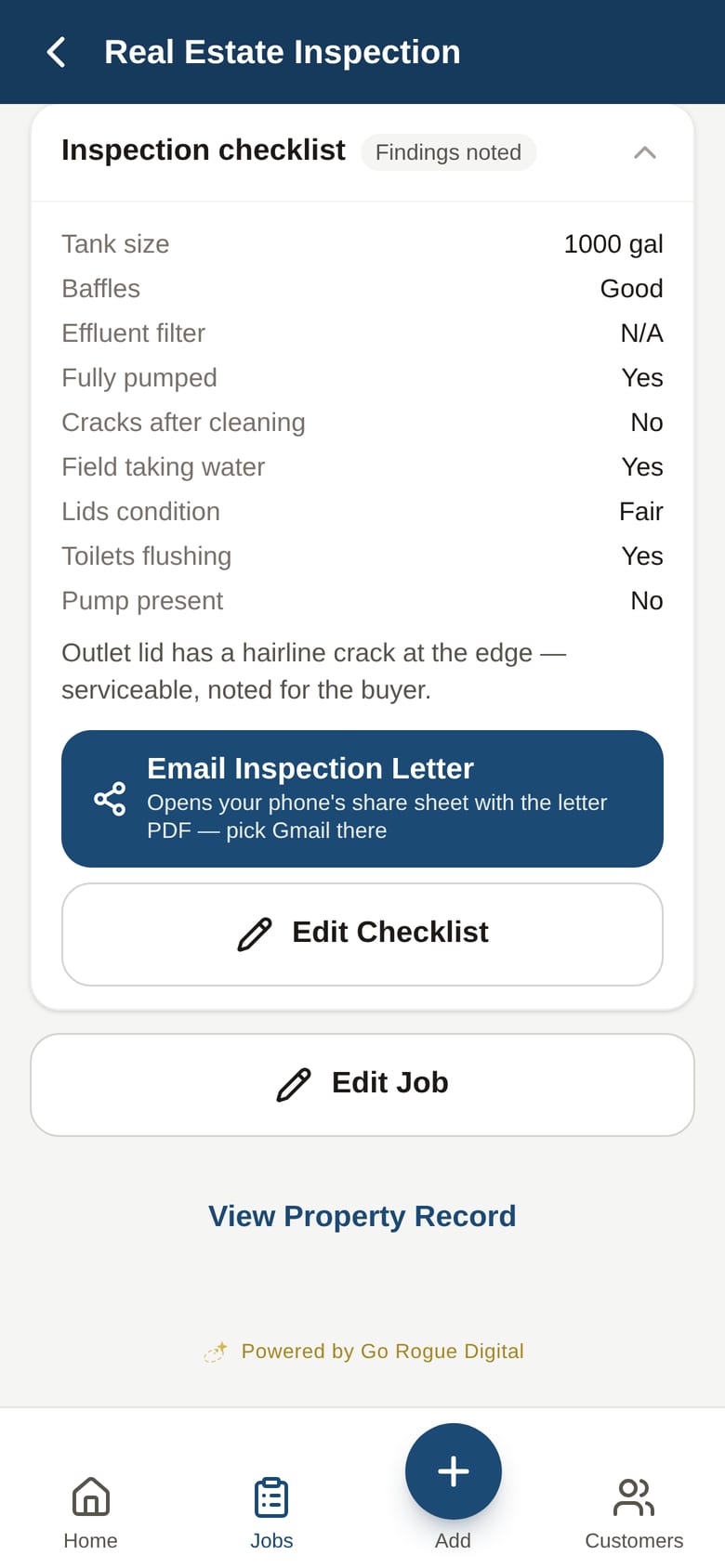
- Real-estate inspection letters and letterhead letters from the phone
- Two walkthroughs: one for the office, one for the crew
The demo is free. Month-to-month after setup, cancel any time.
What the setup includes, on either plan
- Your customer list imported from a spreadsheet
- Your services and prices entered
- Your logo and letterhead on every PDF
- Your On My Way, review, reminder, and referral texts, in your words
- Every login created before the walkthrough
- A go-live date confirmed on the demo call
The monthly covers hosting, your own private database, nightly backups, monitoring, security and compatibility updates, bug fixes, and real support. Anything the Septic Plus build doesn't already do is a custom build, scoped and quoted on its own, so the monthly stays predictable. Not septic? See the plans for other trades · Not sure the app is the first thing to fix? Start with the Operations Blueprint
Restoration company? See Rogue Core: Restore
FAQ
Answered Before You Have to Ask
Next Step
See a job go from lead to receipt.
Tell us about your company and we'll reach out to show you the app and talk through how it fits your day.
- A real demo of the actual app, not a slideshow
- The screens above are real: a working septic company runs its whole day on this build
- No contract, and nothing of yours goes into the app until you say so
Bring the way your company already runs a job. That's what we build around, not the other way around.
See It On Your Own Jobs
We'll reach out to schedule it.