 Rogue Core: Restore
Follow the claim from the first call to the last dollar.
Water mitigation software and a restoration claims app in one, for water and mold shops. On the tech's phone in the crawlspace and on the office laptop. No per-claim fees.
Built on the same platform that runs Septic Plus Inc every day, shaped around the claim instead of the job.
A sample claim: equipment placed Tuesday, readings logged every day, and the pickup reminder already waiting for the office. That's the whole point.
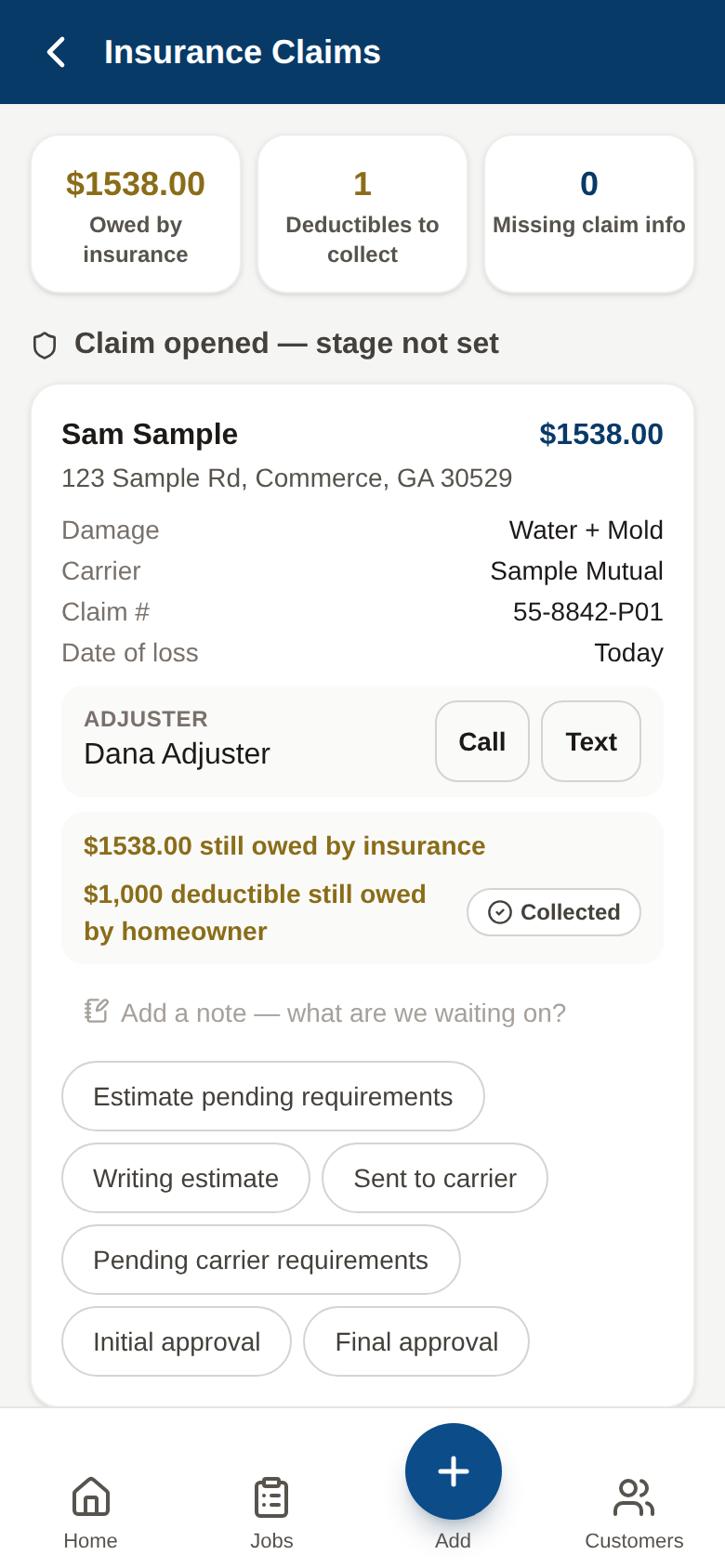
Real screenshot · Rogue Core: Restore
Who It's For
The shop that runs on texts and a spreadsheet.
Restore is water mitigation software built for the small restoration company where the owner still answers the phone, and where the office's real job is knowing what every homeowner and adjuster was told last.
This is you if
- A 2 to 15 person water or mold restoration company
- The office runs on texts and a spreadsheet, and every claim has a separate email thread with the adjuster
- Your photos, readings, and claim notes live in three different places
- One person, usually the owner, is the only one who knows where every claim stands
Probably not you if
- Multi-location enterprise shops with a franchise-mandated platform
- Companies that want a payment processor or accounting software. QuickBooks keeps the books; Restore records what happened on the claim
The Claim Lifecycle
Ten stages. One claim. Nothing retyped.
Every step lives on the same claim, so the office can see where it stands without calling the tech.
Swipe to see all ten stages.
- 01
Call comes in
Logged as a lead with the source and a note.
- 02
Customer and property
The homeowner and the address saved once, with every job at that address.
- 03
Claim opens
Carrier, claim number, policy number, date of loss, adjuster on the card.
- 04
Dispatch
On My Way text from the tech's own phone.
- 05
Document
Photos with a type and a note, daily moisture and GPP, floor plan, equipment clock.
- 06
Estimate
By room, RCV and ACV, signed with a finger on site or from a texted link.
- 07
Carrier pipeline
Stage chips and days-in-stage, recorded as the carrier reports it.
- 08
Dry & pick up
Equipment days count up, and the office gets a pickup reminder.
- 09
Complete
A nudge if there is no after photo yet, then the estimate becomes the invoice.
- 10
Paid
Cash, check, card, or insurance, recorded by the office.
What's In It
Built around the claim, not around a form.
Nine things Restore does, built around how a small shop actually runs a claim.
The carrier pipeline
Every open claim shows its carrier stage as a chip and how many days it has sat there, so a stuck claim stands out. The adjuster is on the card with Call and Text buttons that use your own phone.
Claim details and the deductible
Carrier, claim number, policy number, adjuster, and date of loss on every claim. The deductible is tracked on its own, so the homeowner's share does not get lost after the carrier pays.
Drying log and moisture readings, included
Daily moisture and atmospheric readings with GPP, logged on the phone. Print the drying report to PDF when the adjuster asks for it.
Floor plans that shade wet rooms
Enter each room's width and length and place it on a grid. Rooms with wet readings shade themselves from the drying log. Measured rectangles, not a scan.
Equipment days on site
Place a dehumidifier or air mover and the day counter starts. The office gets a pickup reminder, so nothing sits in a dry basement for a week.
Estimates that become invoices
Estimate by room with RCV, depreciation, ACV, and O&P. The homeowner signs with a finger on site or from a texted link. The signed estimate becomes the invoice when the claim completes, and payments are recorded as Cash, Check, Card, or Insurance. The books stay in QuickBooks.
Text templates you can edit
Four templates: On My Way, review ask, win-back, and referral. Each one opens on your own phone, ready to send. No Twilio, no per-message fees.
Office, Field, and Claims views
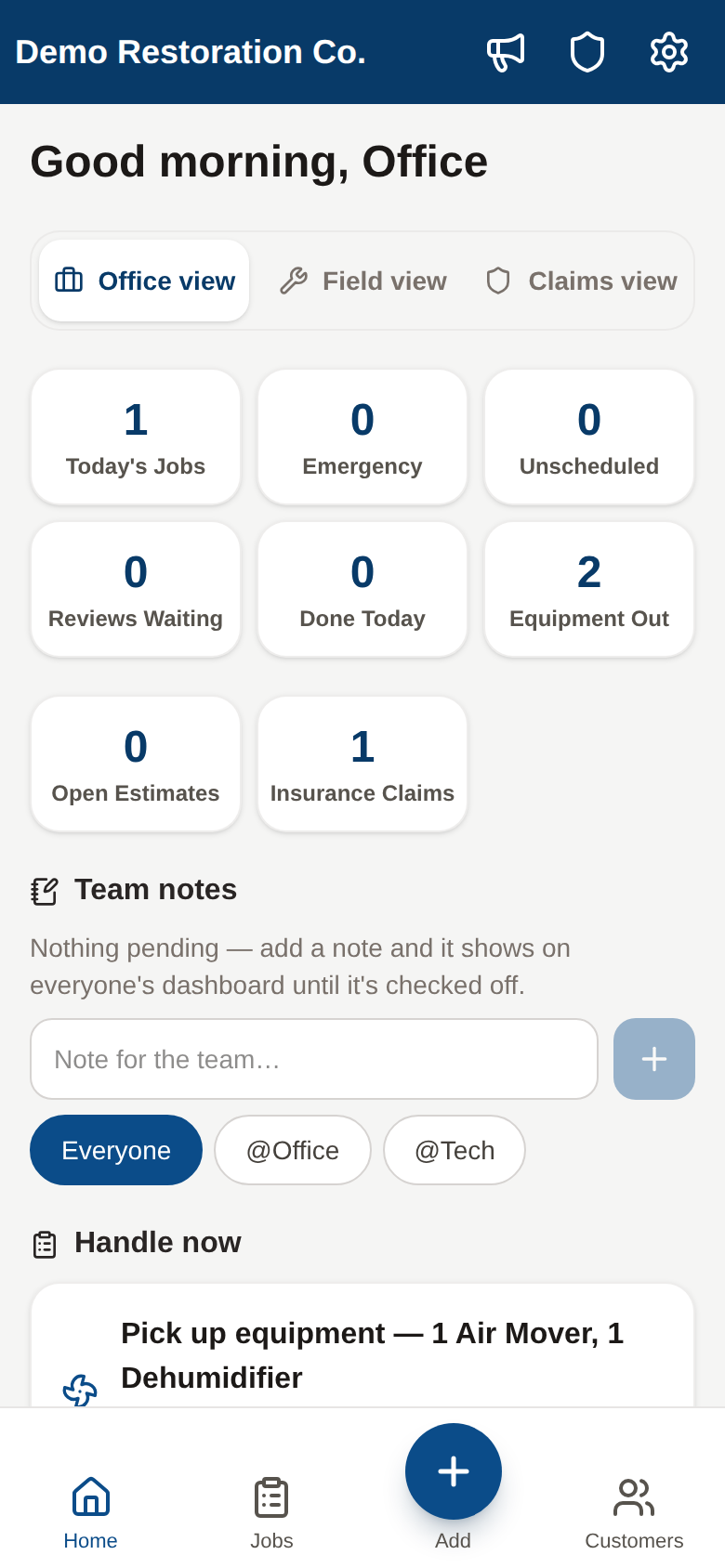
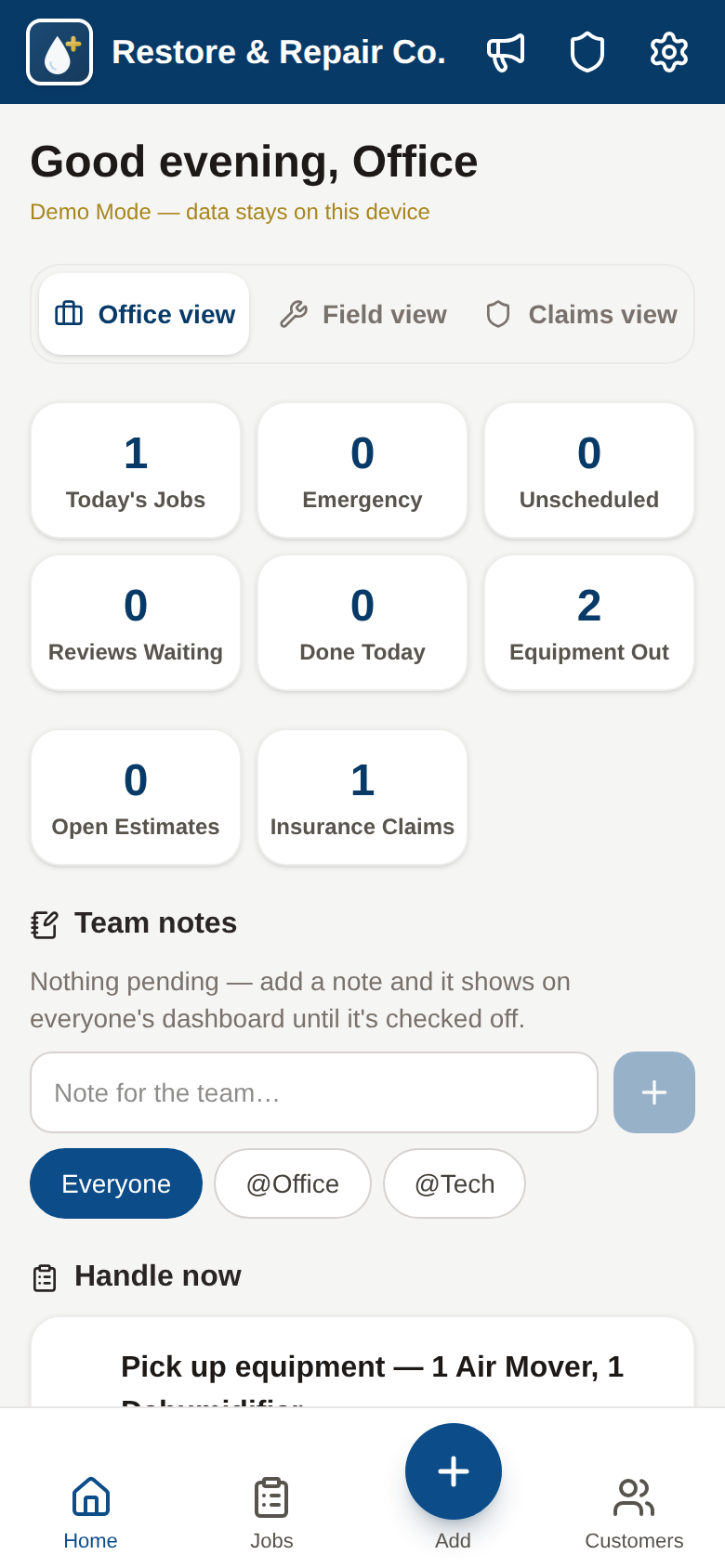
The office sees the queue, the money, and the claims. The tech sees today's work and the buttons a tech needs. Same app on the phone or the office laptop.
Works offline, installs from the browser
Installs to the home screen from the browser and keeps working with zero bars. Readings and photos save on the phone and sync when signal returns. Your own private database.
Carrier stage is recorded as the carrier reports it. Restore keeps the record of the claim; it does not decide coverage, process payments, or keep the books.
Real Screens
On the phone in the field. On the laptop in the office.
Screenshots of the Restore demo, captured with sample data. Not mockups.
Tap through it yourself
The live demo is Restore & Repair Co., a sample shop running in Demo Mode on your own phone. Open the claims dashboard, log a moisture reading in the drying log, place a dehumidifier and watch the day counter start, then generate the adjuster-format report. Nothing you type is saved anywhere but your device, and your browser's Back button brings you right back here.
The Platform Underneath
Not a prototype. A septic company runs on it every day.
Rogue Core: Restore is the Go Rogue Core platform, live since July 2026 at Septic Plus Inc in Commerce, GA, shaped around the claim instead of the job. The scheduling, property records, e-signed estimates, reviews, and offline field app are already proven on real trucks. Restore adds the claim on top.
Not a restoration company? See what we build for other trades- Your own private database. Your claims never sit next to another shop's
- Works with zero bars in the crawlspace and syncs when the tech climbs out
- No per-user, per-message, or per-claim fees. One build, one flat monthly
Pricing
One build fee. One flat monthly. No per-claim fees.
A one-time setup, then a flat monthly to run it. No per-user fees, no per-claim fees, no per-message fees.
Rogue Core: Restore
The claims app for your shop
- Unlimited users, no per-user fees
- Your own private database
- Estimates signed on site or from a texted link
- A start date set with you from the founding list
We are taking a short list of founding shops. Try the demo, join the list, and we will set a start date with you.
Join the founding listTry the live demoJoining the list is free. Month-to-month after setup, cancel any time.
What a Restore setup includes
- Everything in Full Crew: scheduling, property records, reviews, lead pipeline, e-sign
- Each claim from the first call to paid
- Field documentation: photos with a type and a note, moisture and GPP, floor plans, equipment clock
- Carrier pipeline with stage chips and days-in-stage
- A printable drying report and an estimate PDF you share with the adjuster
- Office, Field, and Claims views on the phone or laptop
- Your brand, your customers and addresses imported from a spreadsheet, and your team's logins, which we add for you
- Direct access to the team building it, no ticket queue
The monthly covers hosting, your own private database, security and compatibility updates, bug fixes, and real support. New modules are quoted separately, so the monthly stays predictable. Not restoration? Other trades start at $397/mo
Need custom builds or Go Rogue running your operations? See Custom Command
FAQ
Answered Before You Have to Ask
Next Step
See a claim go from first call to paid.
Try the live demo, then join the founding list. We will walk through your last three claims with you and set a start date together.
- A real conversation about your last three claims, not a slideshow
- You try the live demo before you commit to anything
- Joining the list is free. Nothing is billed until we set a start date together
Bring the way your shop already runs a claim. That's what we build around, not the other way around.
Join the founding list
We are taking a short list of founding shops. Try the demo, join the list, and we will set a start date with you.
Join the founding listOpen the live demo$2,997 setup, then $997/month. Nothing is billed until we set a start date together.